
Pedometer
Your steps, on your Lock Screen.
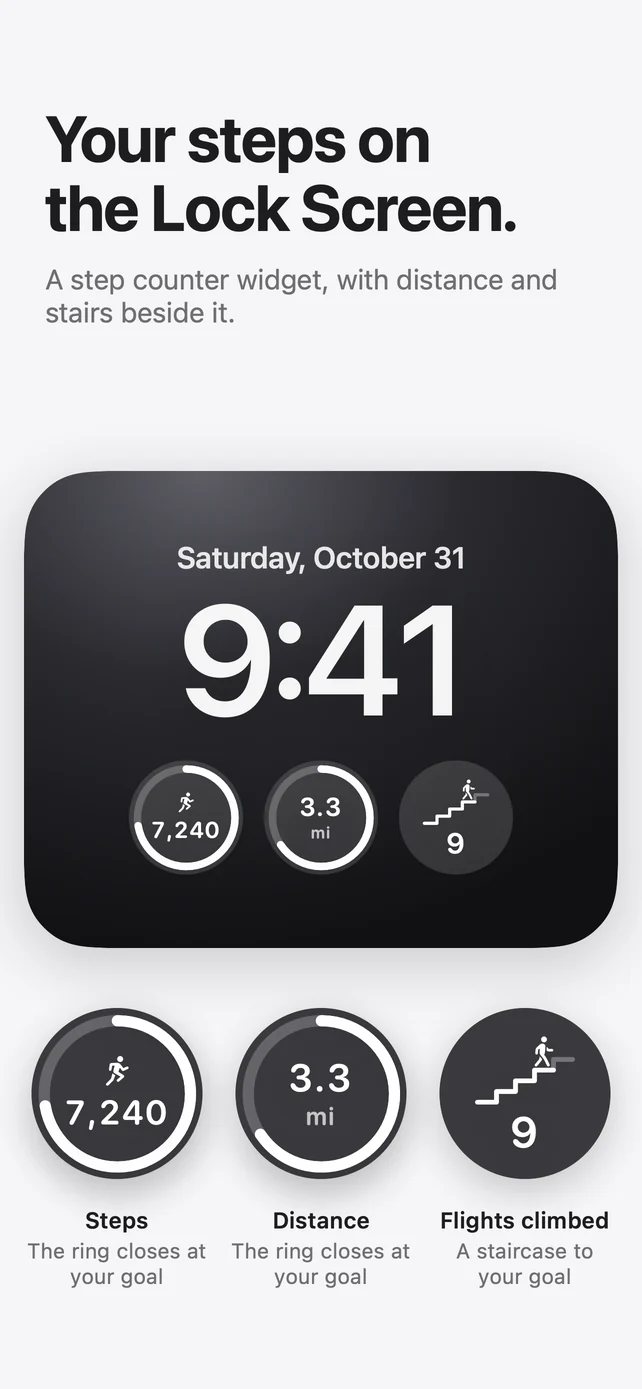
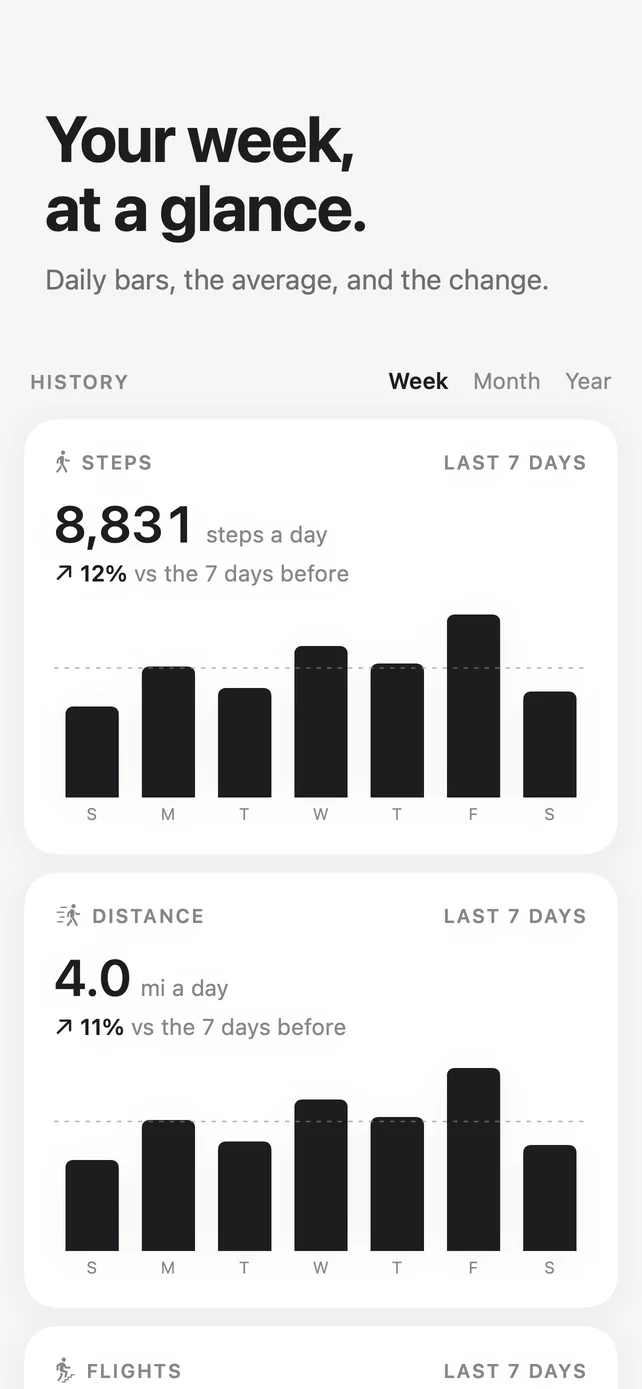
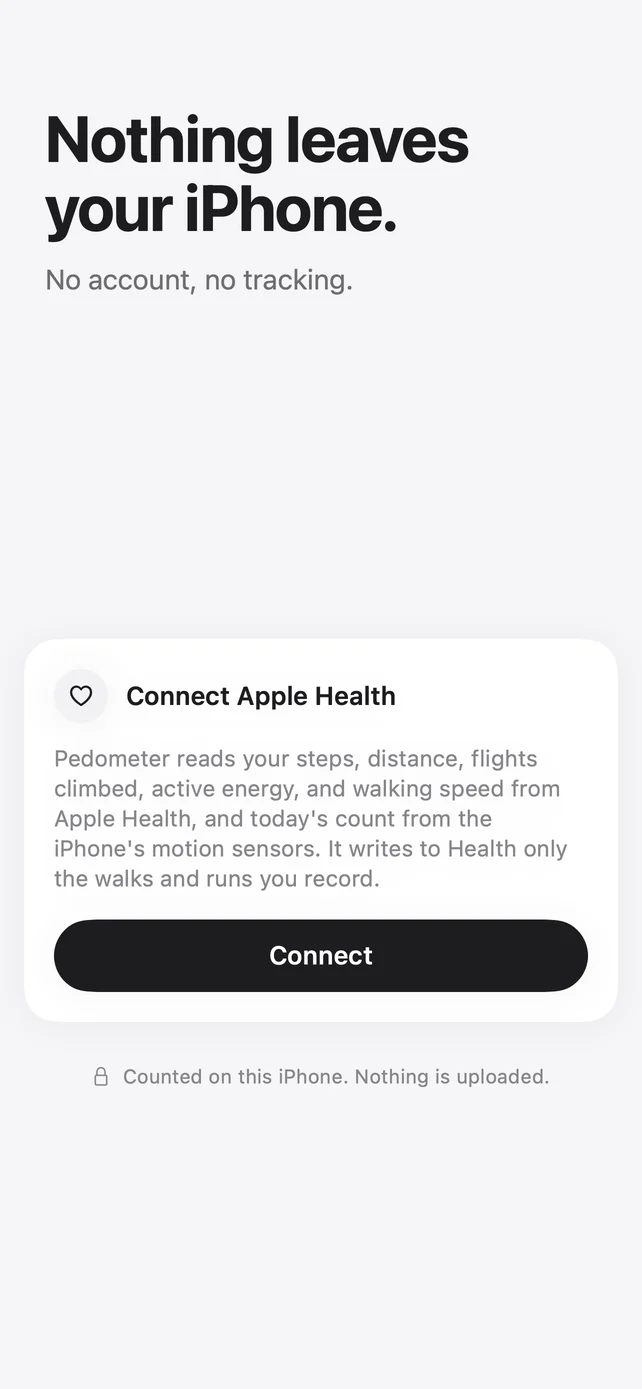
Steps, distance, and flights climbed, as plain numbers and charts. Pedometer reads Apple Health and puts today's count on your Lock Screen and Home Screen. Your iPhone counts steps on its own, and Apple Watch steps are included if you wear one.
Today
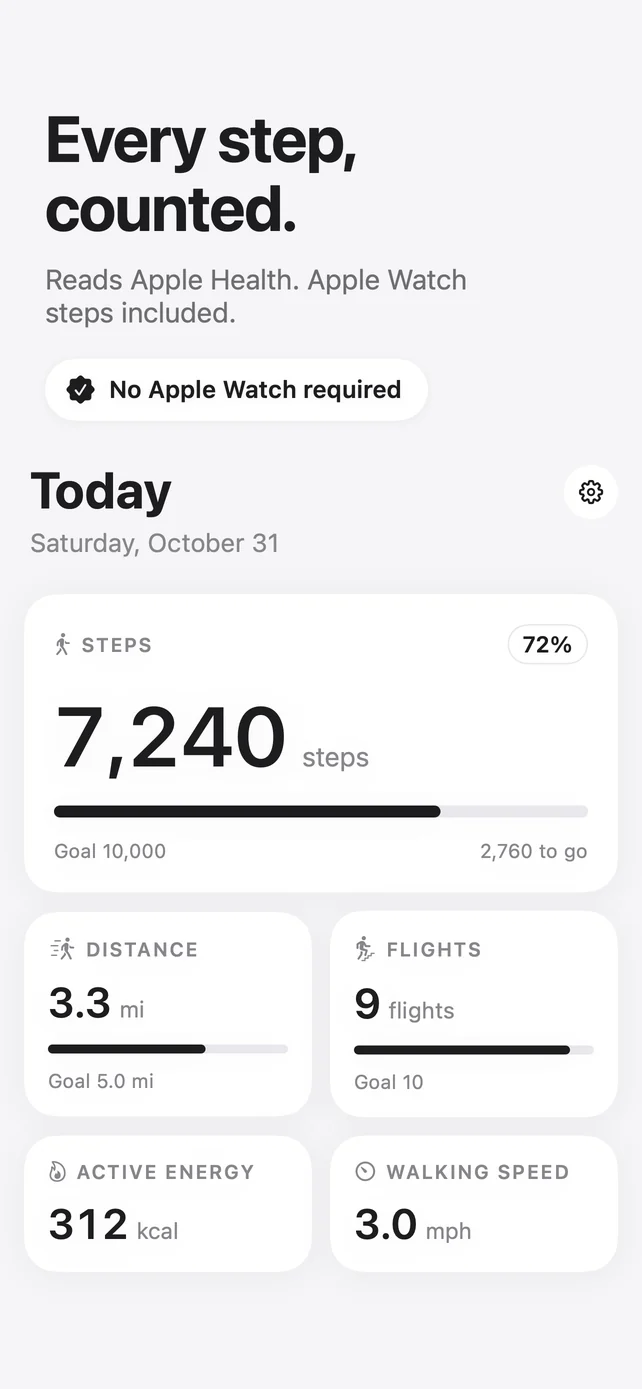
Your steps against your goal, with what is left to go. Distance and flights climbed against their goals, with active energy and walking speed beside them.
Walks and runs
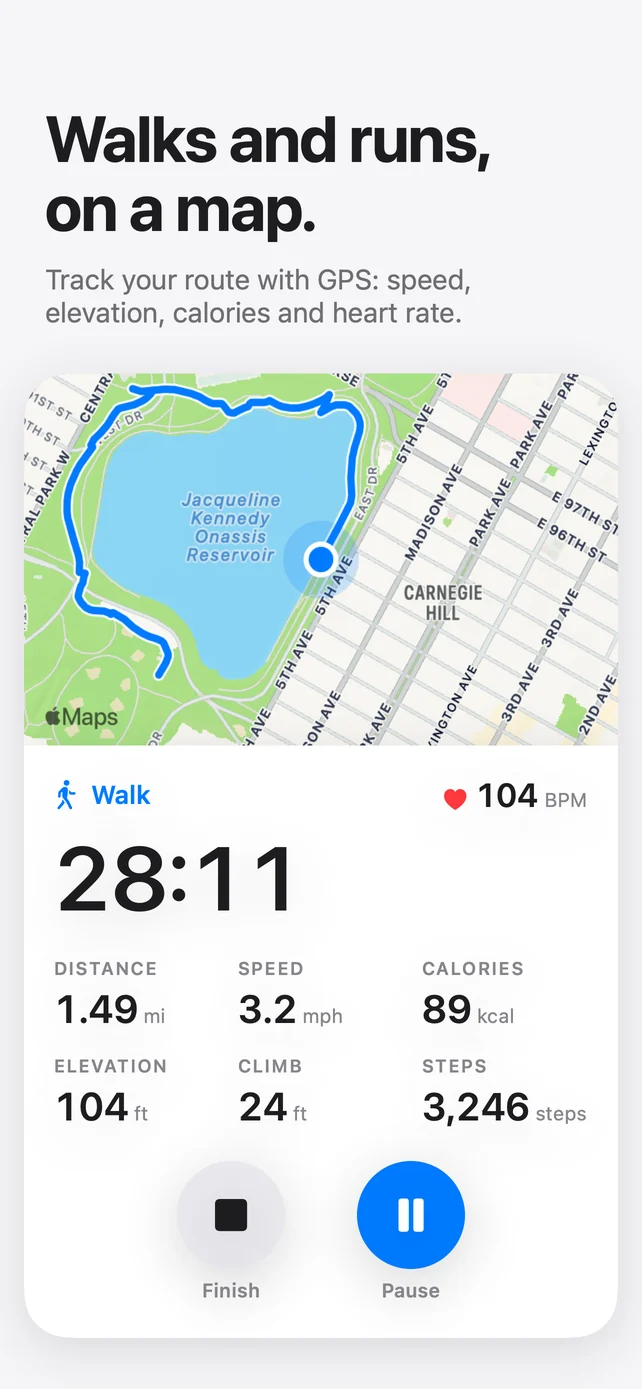
Record a walk or run with GPS: your route on a map, with speed or pace, elevation, climb, and calories. Each one is saved to Apple Health with its route.
Live heart rate
With AirPods Pro 3, Powerbeats Pro 2, or a Bluetooth heart rate strap, your heart rate shows live during a walk or run (iOS 26).
On the Lock Screen
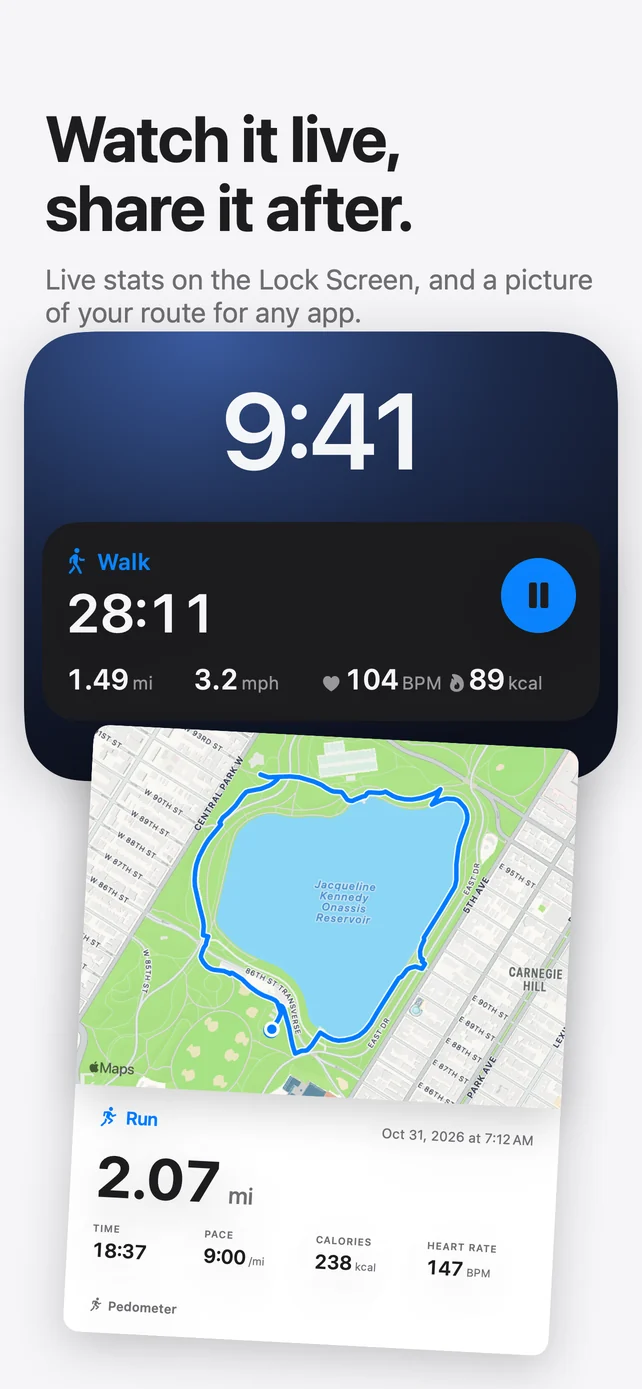
While you walk, the time, distance, speed, heart rate, and calories stay on the Lock Screen, with a pause button.
Share a walk
A picture of each walk or run, with the map and your numbers, for any app you like.
Your own goals
Set a daily goal for steps, distance, and flights climbed. They start at 10,000 steps, 8 km or 5 miles, and 10 flights.
History
One chart per number, for the last week, month, or year, with the daily average and the change from the period before.
Lock Screen widgets
Steps and distance, each inside a ring that closes at your goal, and flights climbed, with a figure that climbs a staircase to your goal.
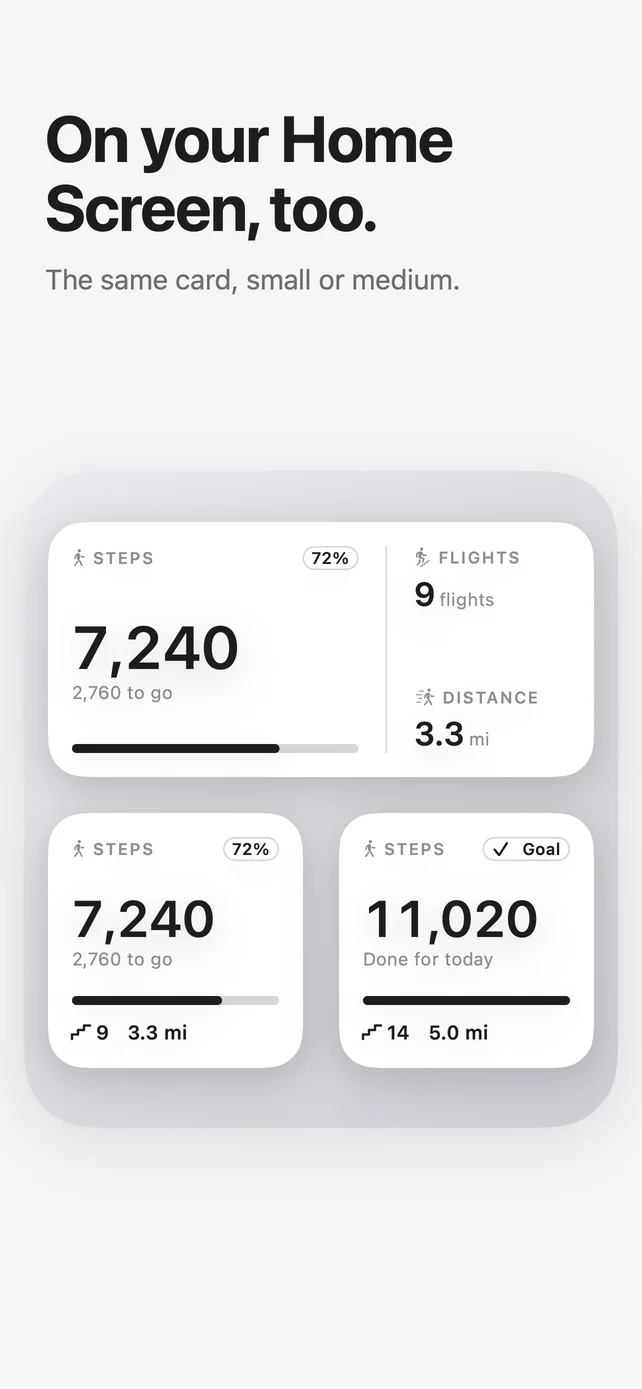
Home Screen widget
The same card as the app, small, medium, or large. Set it to light, dark, or automatic, and show the steps alone if you like.
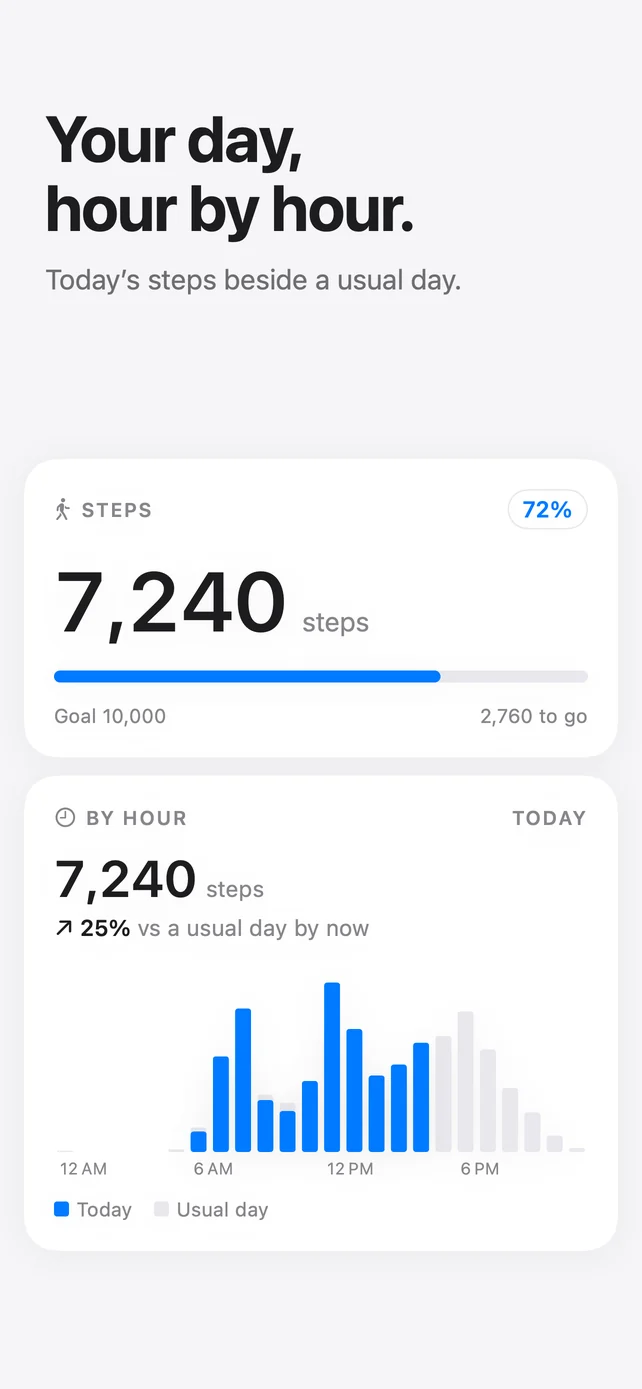
By hour
Today's steps hour by hour, beside your usual day over the last four weeks.
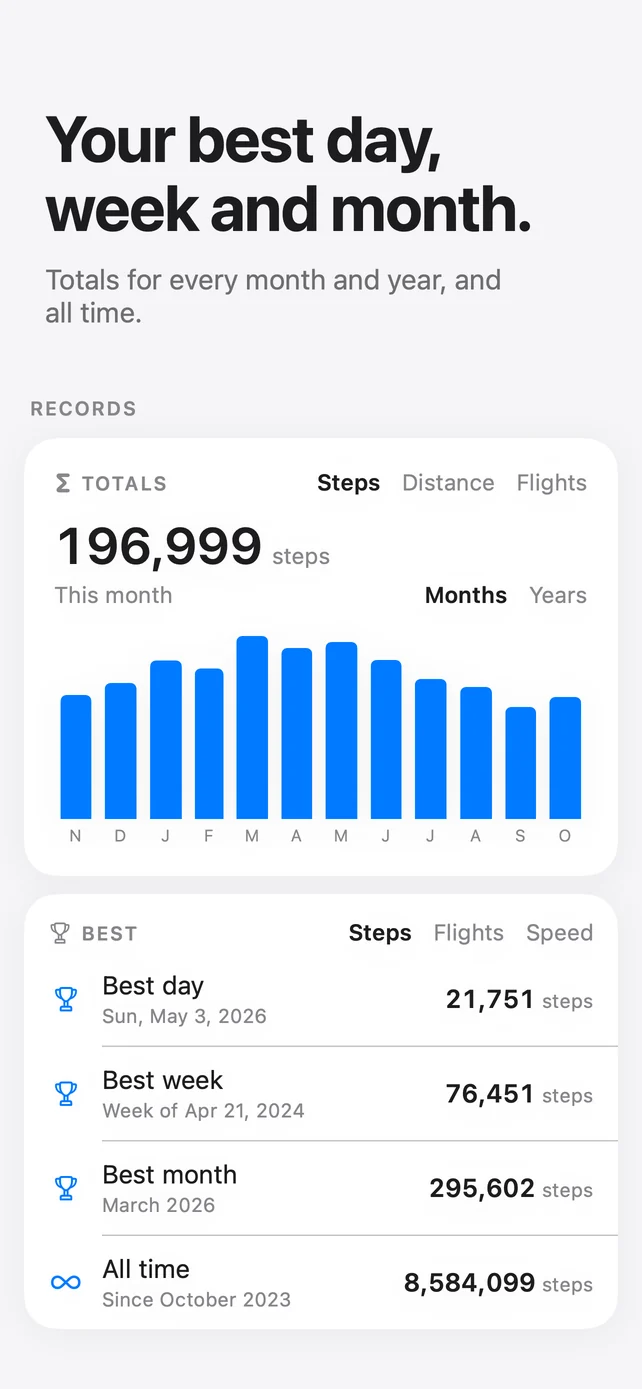
Records
Totals of steps, distance, and flights for every month and year, and your best day, week, and month for steps, flights climbed, and walking speed.
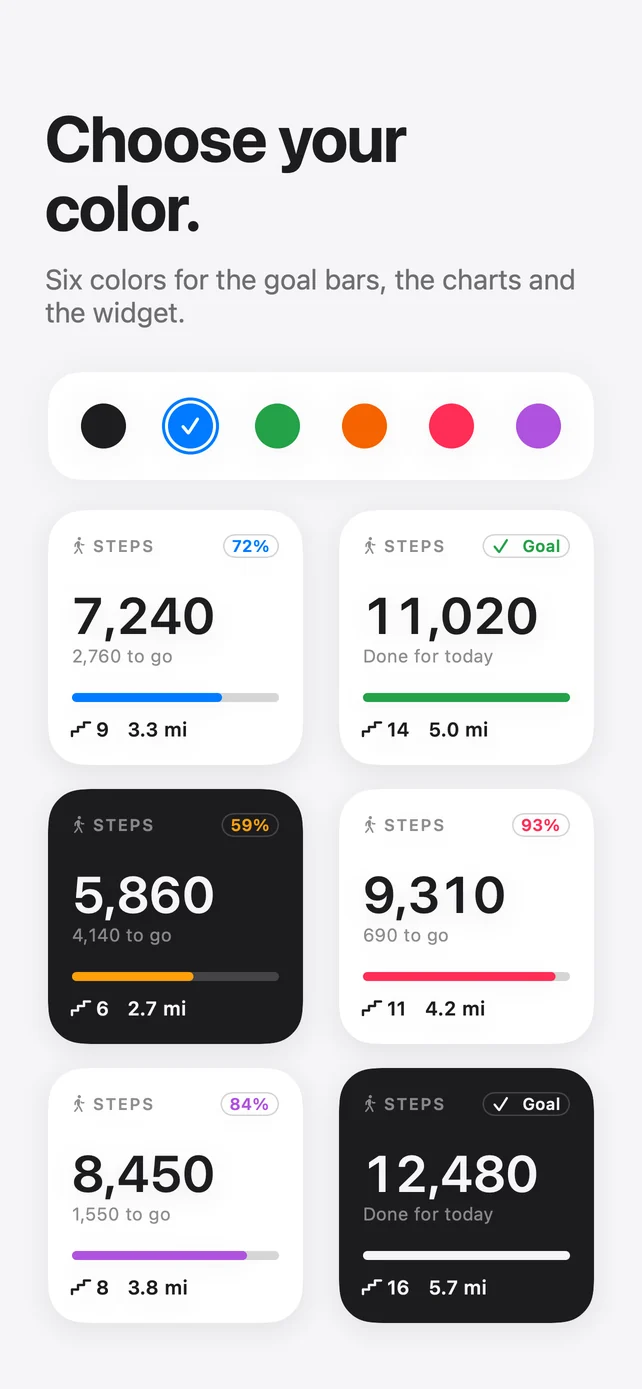
Your color
Choose graphite, blue, green, orange, pink, or purple for the goal bars, the charts, and the Home Screen widget.
Questions and answers
What is a free step counter app for iPhone without a subscription?
Pedometer is free, with no subscription and no account. It shows your steps, distance and flights climbed as plain numbers and charts, and puts them on your Lock Screen and Home Screen as widgets. It also records walks and runs with GPS. An optional tip jar unlocks nothing. See it on the App Store.
How do I show my step count on the iPhone Lock Screen?
- Install Pedometer, open it and tap Connect to let it read Apple Health.
- Touch and hold the Lock Screen, tap Customize, then choose the Lock Screen.
- Tap the widget area under the clock, choose Pedometer, and add Steps, Distance or Flights climbed.
- Tap Done.
The steps and distance widgets sit in a ring that closes at your goal. Step-by-step guide.
Do I need an Apple Watch?
No. Your iPhone counts your steps on its own when you carry it. If you also wear an Apple Watch, Pedometer reads Apple Health, which combines the steps from both without counting them twice.
Can it record walks and runs with GPS?
Yes. Tap Walk or Run under Walks and runs. The map draws your route and shows time, distance, speed or pace, calories, elevation and climb. While you go, the numbers stay on the Lock Screen with a pause button. Each walk or run is saved to Apple Health with its route, and you can share a picture of it.
Can it show my heart rate without an Apple Watch?
Yes, on iOS 26. With AirPods Pro 3, Powerbeats Pro 2 or a Bluetooth heart rate strap, your heart rate shows live during a walk or run.
Can I change my daily step goal?
Yes. Set a daily goal for steps, distance and flights climbed. They start at 10,000 steps, 8 km or 5 miles, and 10 flights. The widgets close their rings at your goals.
Can I see my step history and records?
Yes. History shows one chart per number for the last week, month or year, with the daily average and the change from the period before. Records show your totals for every month and year, and your best day, week and month for steps, flights climbed and walking speed.
Is Pedometer really free?
Yes. Every feature is free and there is no subscription. Under Settings › Support Pedometer you can leave a tip if you like. Tips are optional and unlock nothing.
Does Pedometer upload my health data?
No. Everything is counted and stored on your iPhone, and nothing is uploaded. Pedometer reads Apple Health and writes to it only the walks and runs you record. Your location is used only while you record. There is no account, no analytics and no tracking. Privacy policy.
- Reads Apple Health, and writes to it only the walks and runs you record.
- Your location is used only while you record, and stays on your iPhone.
- Everything is counted and stored on your iPhone. Nothing is uploaded.
- No account, no analytics, no tracking.
Pedometer is not a medical device and does not give medical advice.


