
Jobsite Calc
Feet, inches and fractions, for a one-time price.
Coming soon to the App Store
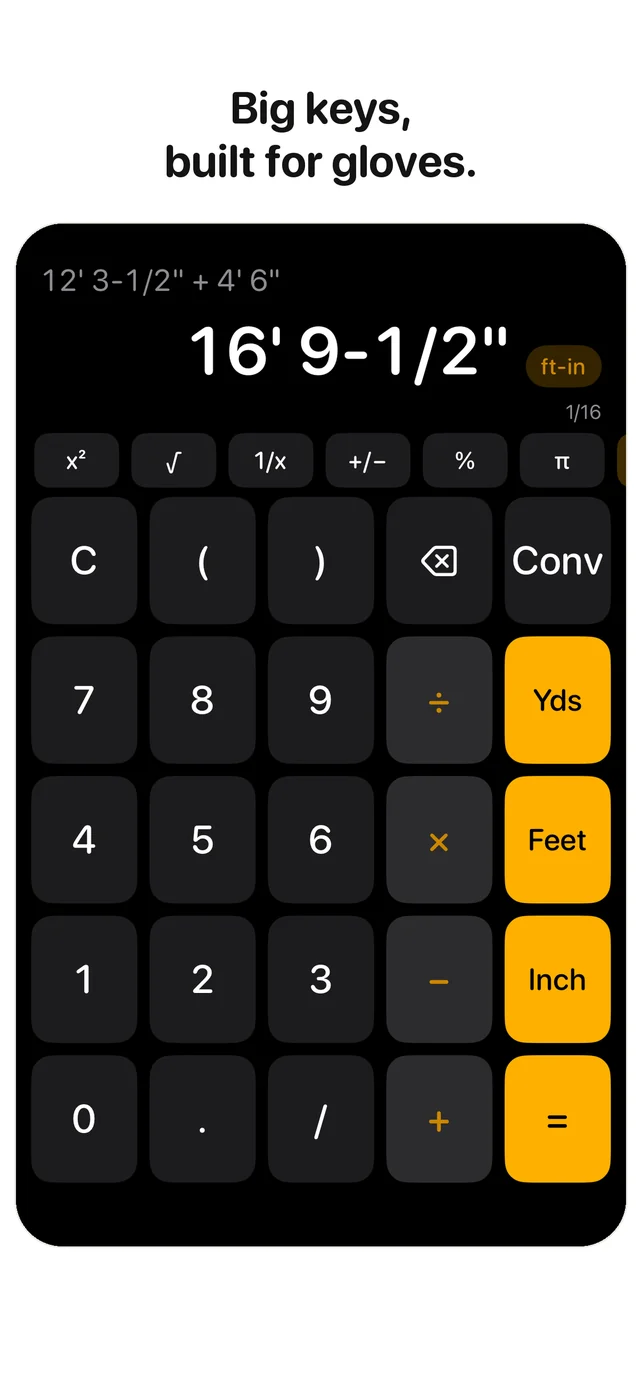
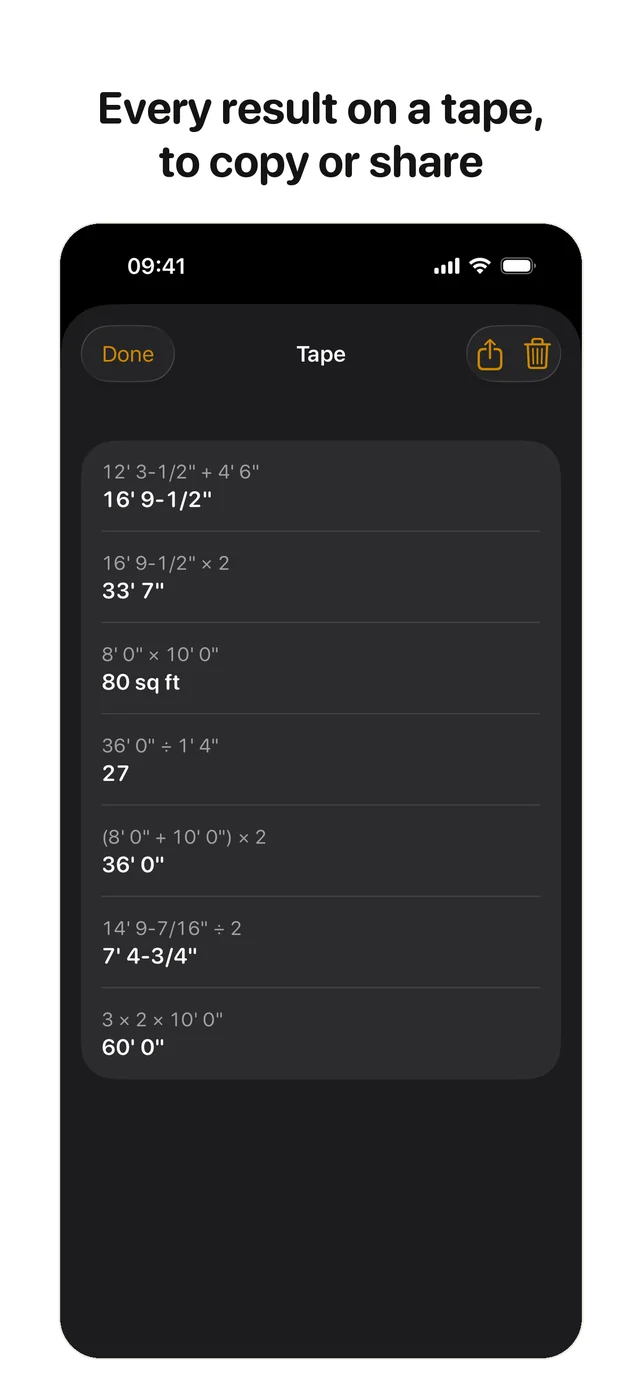
A feet-inch-fraction calculator for framers, carpenters and contractors. Type a measurement the way you read it on the tape, see the whole calculation on screen, and lay out stairs, rafters and concrete from it. One purchase unlocks every tool for good, and the app needs no subscription, account or internet.
Feet, inches and fractions
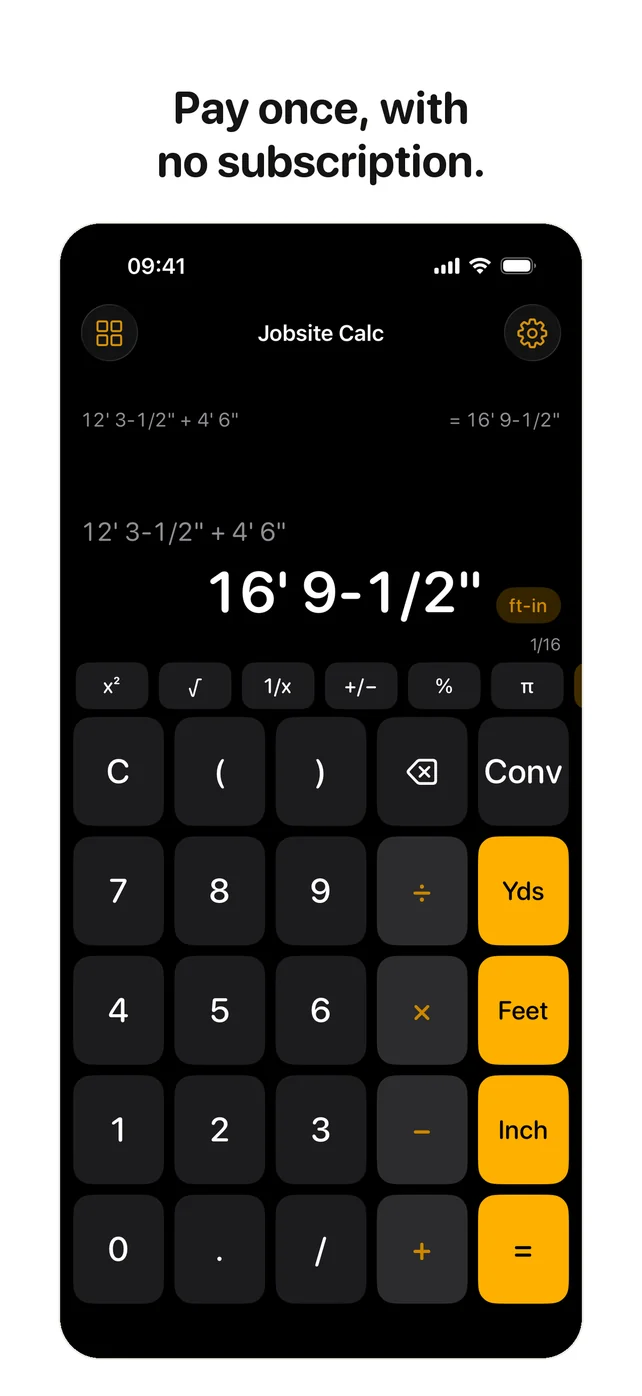
Enter 12' 3-1/2" with the Feet, Inch and / keys. Add, subtract, multiply and divide, and get the answer to the nearest 1/16, or to any fraction you choose. The whole expression stays on screen, with parentheses.
Convert with one tap
Tap the unit on the result to cycle feet-inches, inches, decimal feet, yards, metres, centimetres and millimetres. Areas, volumes and angles convert too.
Stairs with the code check
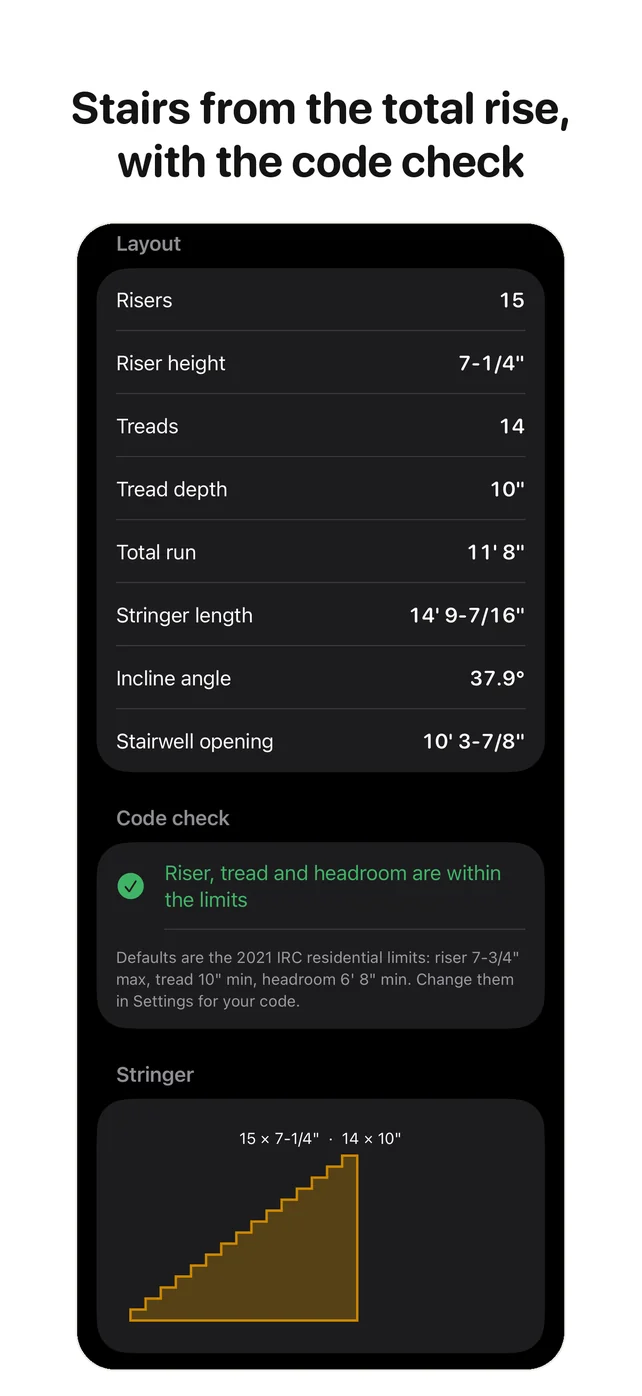
Enter the total rise and get the risers, treads, stringer length, angle and stairwell opening, drawn as a stringer. A green or red check against the 7-3/4 inch riser, 10 inch tread and 6' 8" headroom limits, which you can change.
Rafters and roofs
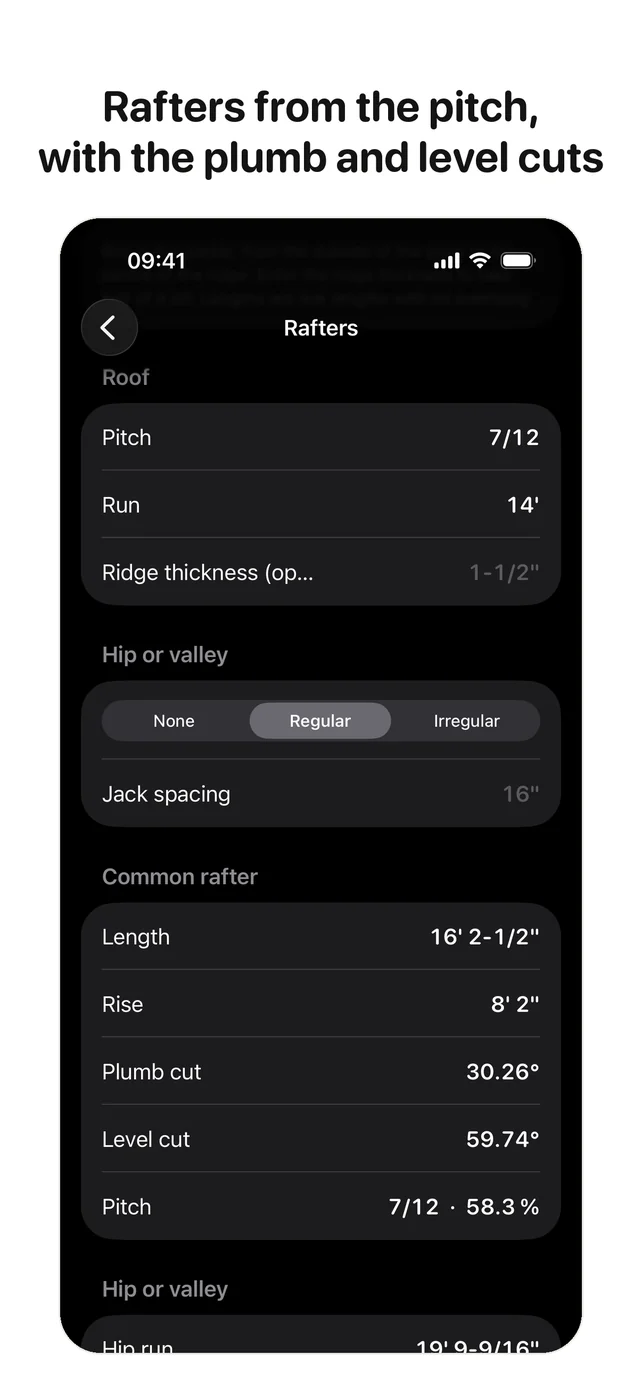
Common, hip, valley and jack rafters from a pitch and a run, with the plumb and level cuts and the jack list. Irregular hips. Roof squares, bundles and sheets.
Concrete and materials
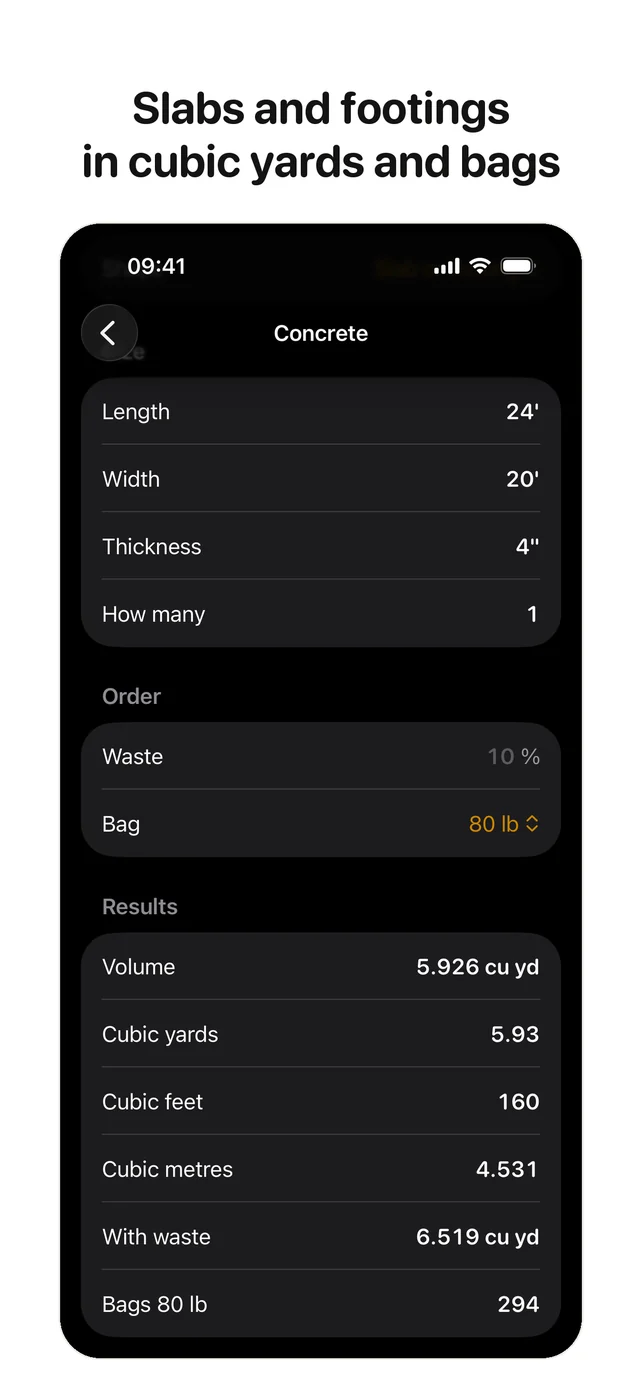
Slabs, footings, columns and piers in cubic yards and bags. Drywall and sheathing sheets, block, brick, studs and plates, board feet and lumber cost.
Angles and a tape
Crown and compound miters, polygons, circles and arcs. Every result goes on a tape you can reuse, copy or share.
Questions and answers
Is Jobsite Calc a one-time purchase?
Yes. The app is free to download: the calculator, the conversions and the tape cost nothing. One in-app purchase unlocks the tools, which are stairs, rafters, roof, concrete, materials and angles. There is no subscription and nothing renews. The unlock is shared with your family through Family Sharing.
How do I enter feet, inches and fractions?
Type 12, Feet, 3, Inch, 1, /, 2 and the display reads 12' 3-1/2". A number on its own counts as inches; Settings can make it feet, millimetres or centimetres instead. With the metric keys turned on you can mix metres and inches in one calculation, and the result comes out in the unit you choose.
The whole expression stays on screen while you type, with parentheses, so you can see what you entered before you press equals.
How does the stair calculation work?
Enter the total rise, floor to floor. The app divides it into the fewest risers that stay under the riser limit, 7-3/4 inches by default, and gives the riser height, the treads, the total run, the stringer length, the angle and the stairwell opening. A line turns green when the stair meets the riser, tread and headroom limits, and red when it doesn't. The limits are yours to change in Settings.
Which rafters can it work out?
Common rafters from a pitch and a run, regular and irregular hips and valleys, and the jack rafters at your spacing, each with the plumb and level cuts. The pitch can be 7/12, degrees or a percentage. The Roof tool turns a plan area and a pitch into squares, bundles and sheets, and the rake wall rows give the stud lengths along a gable.
Does it work in metric?
Yes. Turn on the metric keys in Settings for m, cm and mm, enter any mix of units in one calculation, and tap the unit on the result to convert it. Concrete can be shown in cubic metres and bags of 25 kg, and the stair and rafter tools take metric input too.
Does anything leave my iPhone?
No. The app has no network code and makes no network connections. There is no account, no analytics and no ads. The one purchase goes through the App Store, and Apple handles it. Privacy policy.
- The app has no network code. Nothing is uploaded.
- No account, no analytics, no tracking, no ads.
- Your settings and your tape stay on your iPhone.
- The one purchase goes through Apple, and the price never renews.
It has a dark screen, big keys and key clicks for gloves and sunlight, and it works with no signal.


