
Atlas
Every country and city you've been to, from your photos.
On iPhone Duo
Unfold it for a globe of your travels.
-
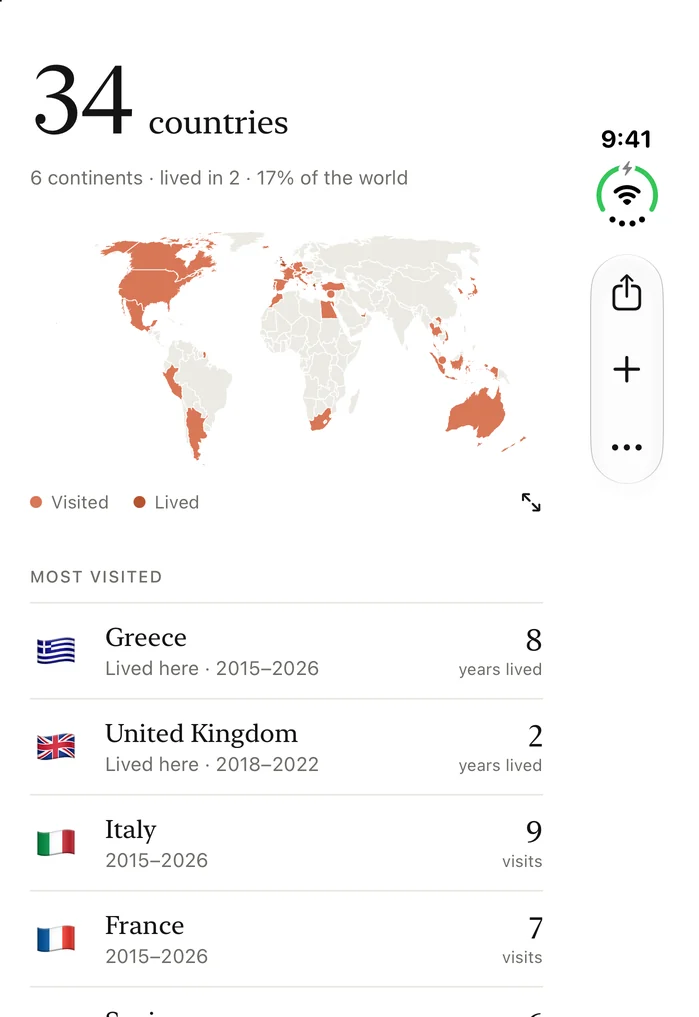
Folded Your count, the map and your countries on the cover screen. -
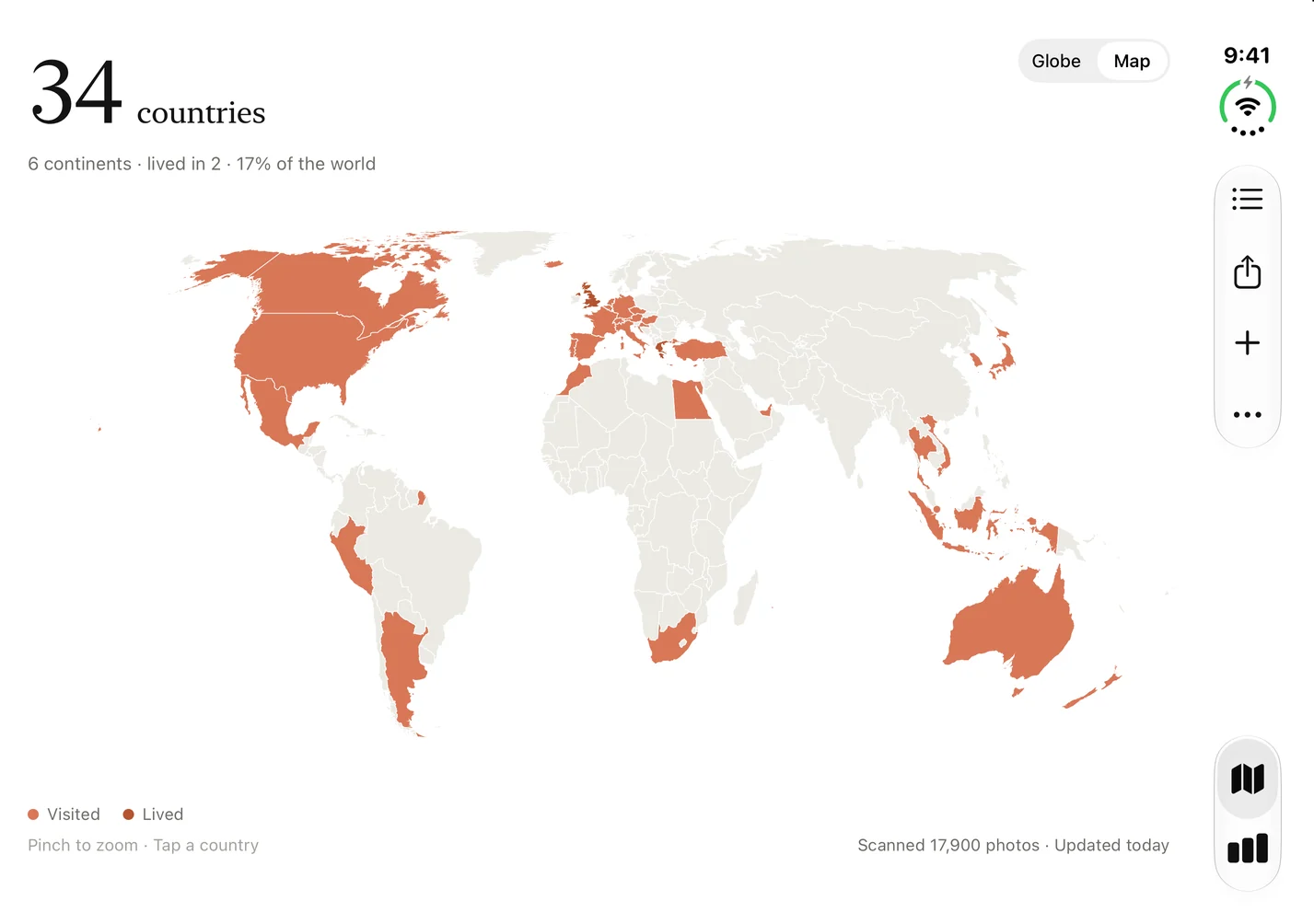
Half open The whole world map, across both halves. -
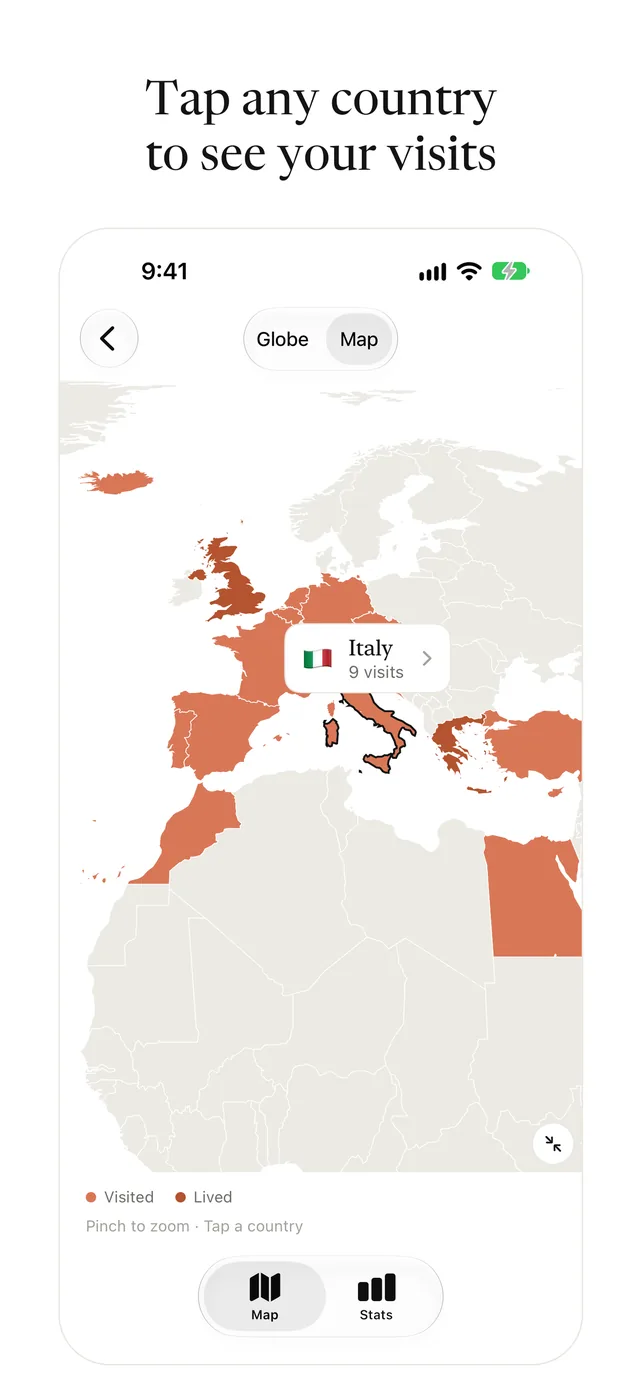
Open A globe of your countries that turns slowly. Tap one to see your visits.
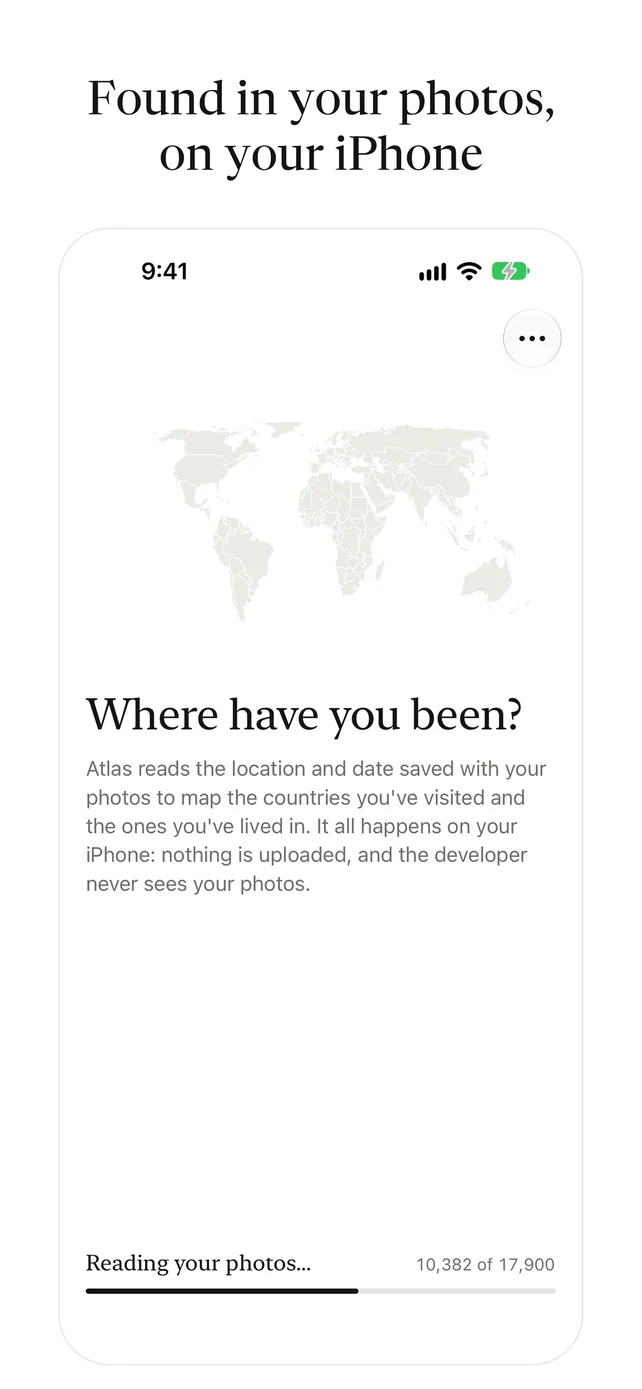
Atlas finds the countries and cities you've been to in the photos on your iPhone and puts them on a world map. It reads only the location and date saved with each photo, on the phone. There is no account, and nothing is uploaded.
Atlas in 22 seconds
Your map, filled in
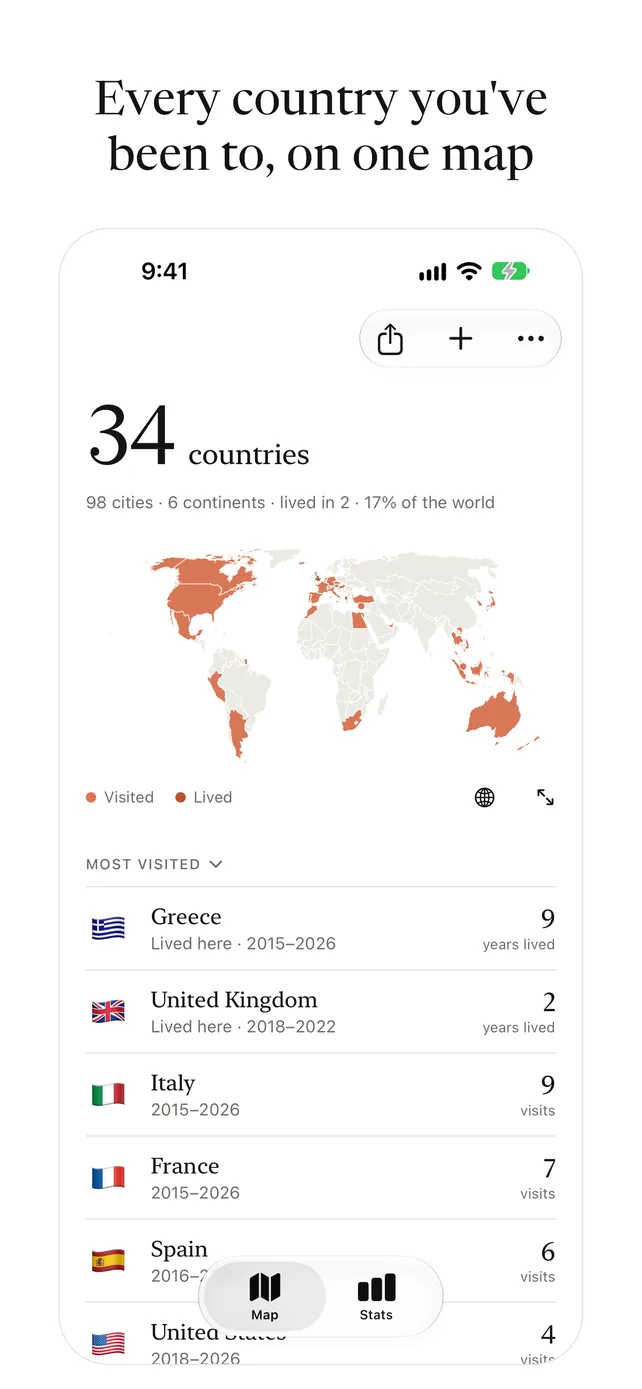
Every country in your photos, on a world map you can zoom into, or on a globe you can spin and zoom. Tap any country to see how many times you've been, or to add one that isn't in your photos. Tap the line under your count to see how much of the world's land you've covered.
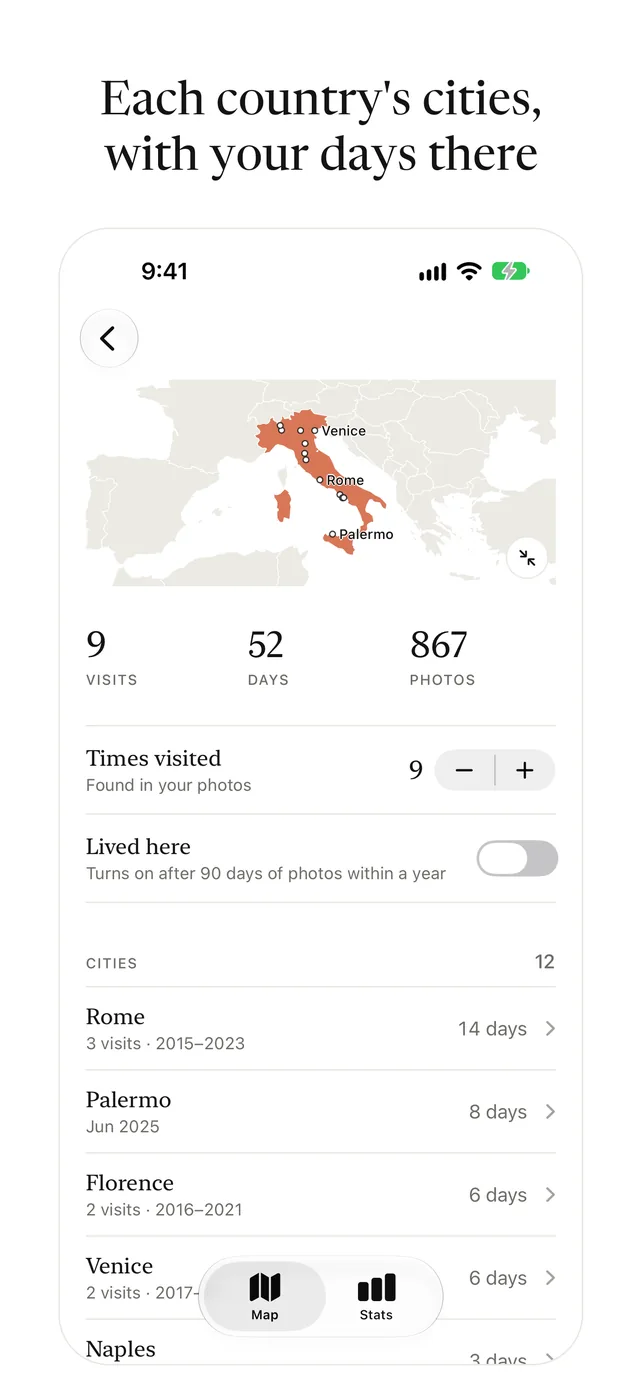
Every city
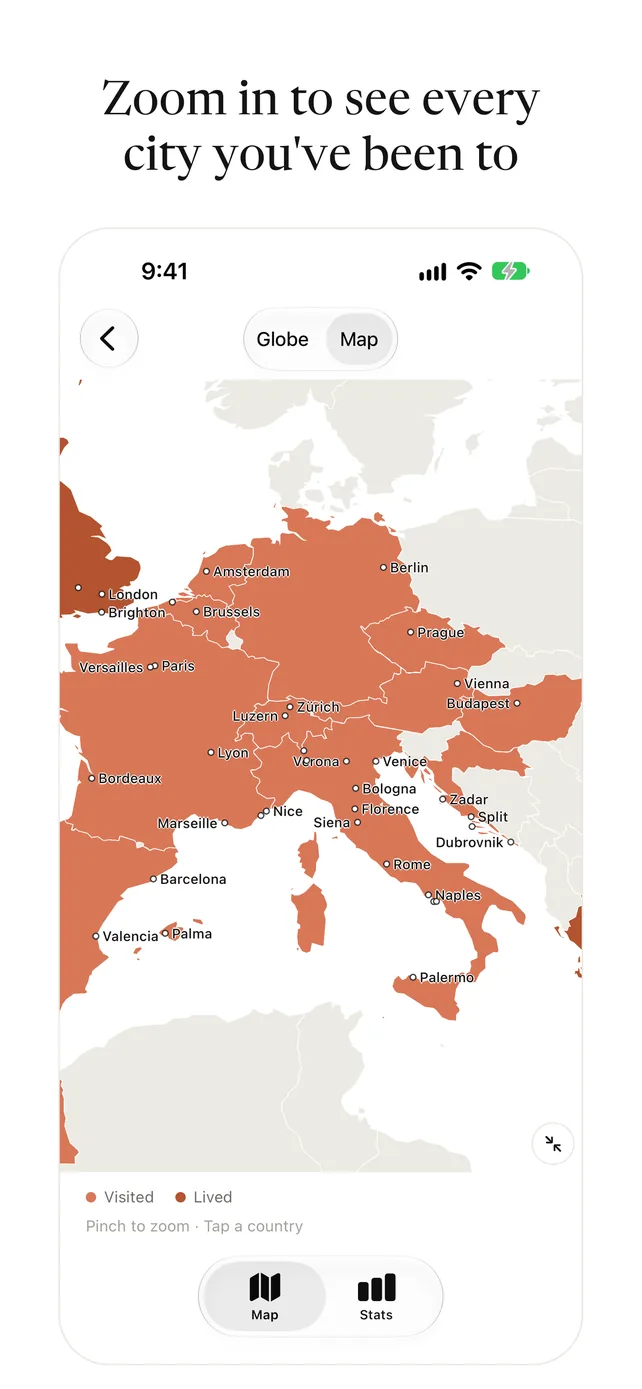
The towns and cities in your photos, listed on each country's page with the days you spent there. Tap a city to see its photos, or zoom in on the map to see your cities with their names. Atlas finds them on your iPhone, from a list built into the app.
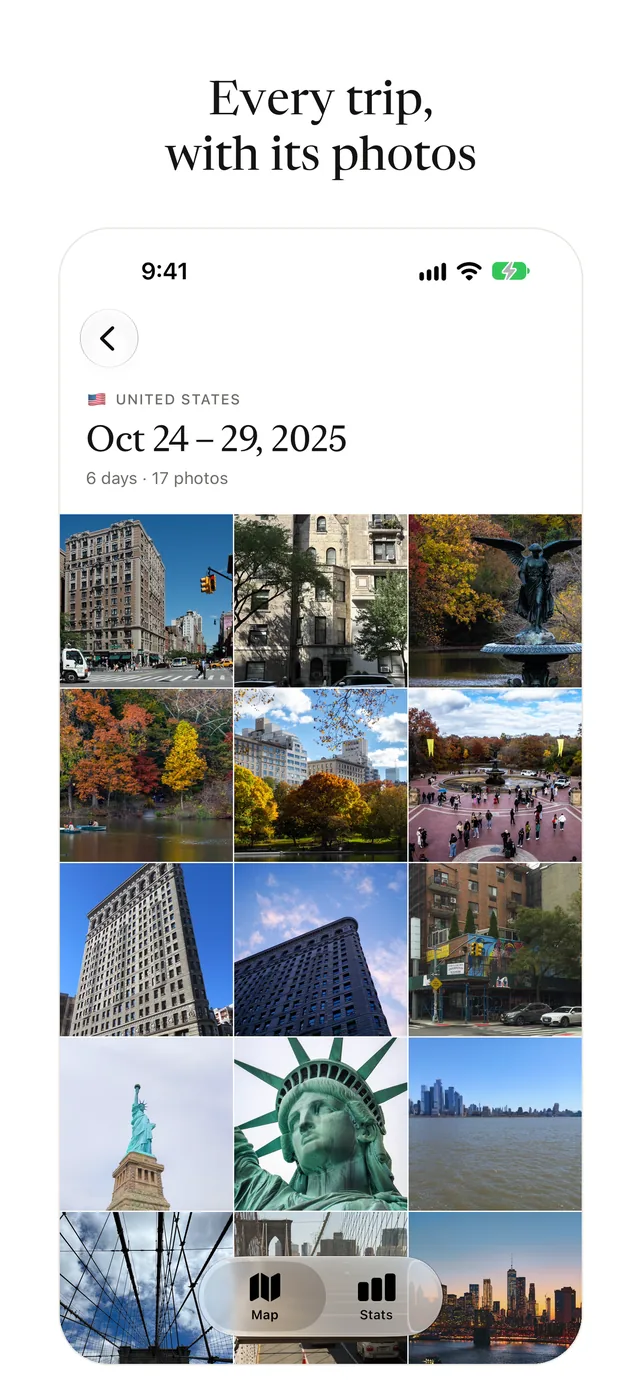
Every trip
Each visit to a country, with its dates. Tap a trip to see its photos and hide any that aren't from it. Merge trips that were really one.
Lived here
Countries with 90 or more days of photos within a year are marked as places you've lived, in a deeper colour, with how long you lived there. Moving somewhere new doesn't count as time away.
Stats
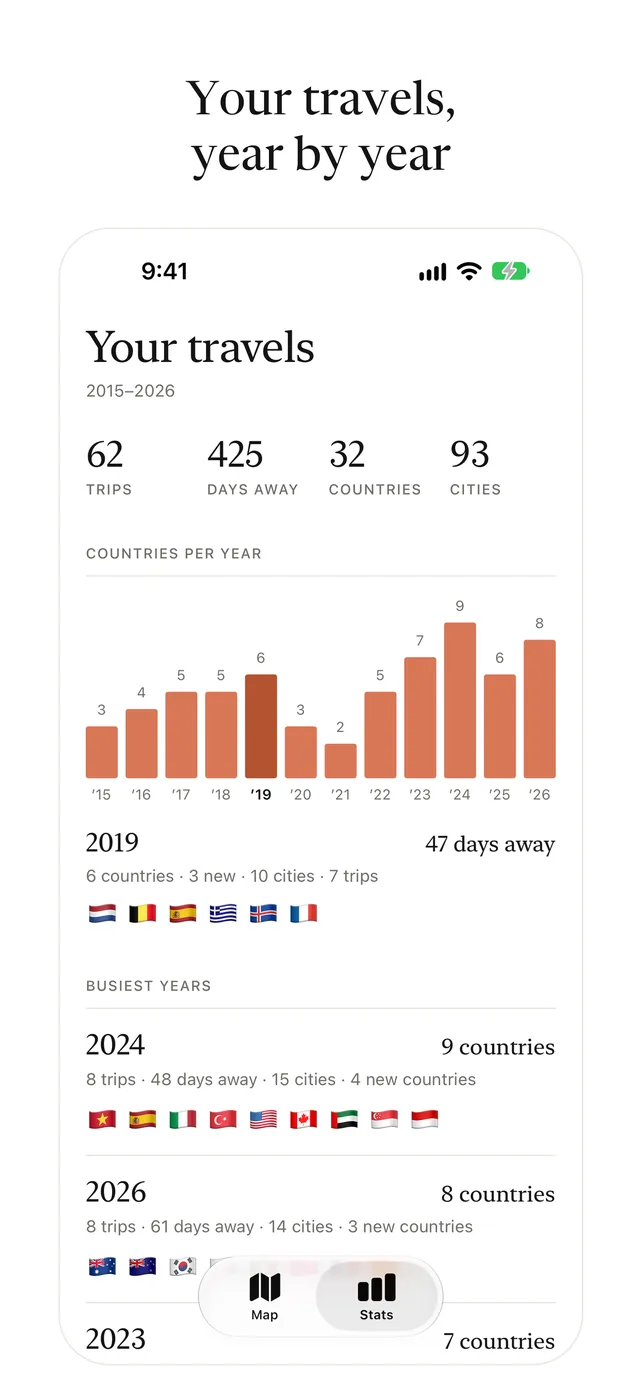
Trips, days away and cities, countries per year (tap a year to see where you went), your busiest years, the countries you go back to most, and your longest trips.
Share your map
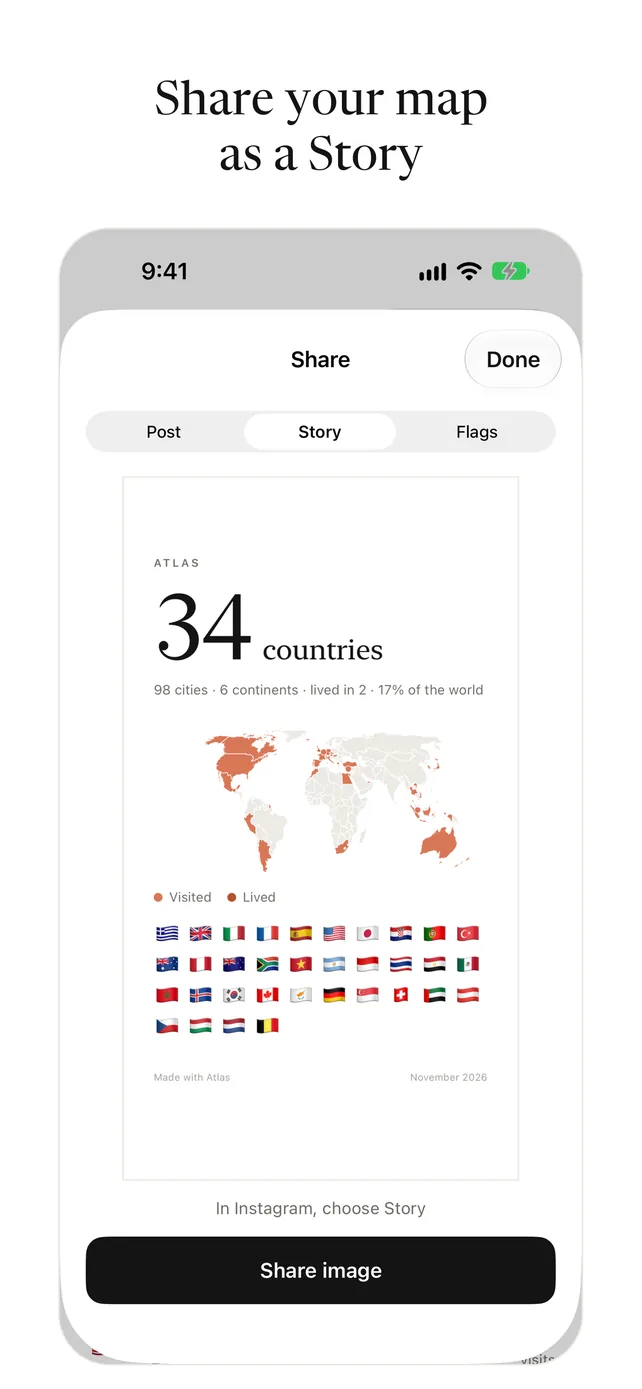
A picture of your map and flags, or of one country with its cities, for an Instagram post or Story; a 12-second video of your globe turning; or all your flags as emoji for your bio.
Fewer false visits
Pictures saved from Instagram, WhatsApp and other apps are left out. You can add, edit or remove any country yourself.
Questions and answers
Is there an app that shows every country I've visited from my photos?
Atlas finds the countries you've been to in the photos on your iPhone and fills them in on a world map. It works from the location and date saved with each photo, so there is nothing to type in. Atlas is free on the App Store.
Does Atlas show the cities I've been to?
Yes. Each country's page lists the towns and cities in your photos, with the days you spent there, and the map shows them with their names when you zoom in. Atlas finds them on your iPhone from a list of about 160,000 places built into the app, so nothing is looked up online.
How does Atlas know where I've been?
Most iPhone photos carry the place and time they were taken. Atlas reads those two details, works out the country, and groups photos taken close together into trips. It never looks at what is in the pictures.
Will pictures people sent me count as visits?
No. Pictures saved from Instagram, WhatsApp and other apps are left out, so a friend's holiday photo doesn't add a country to your map. You can also hide any photo from a trip, and add, edit or remove any country yourself.
Does it count the countries I've lived in?
Yes. A country with 90 or more days of photos within a year is marked as a place you've lived, in a deeper colour, with how long you lived there. Moving somewhere new doesn't count as time away.
Can I share my travel map?
Yes. Atlas makes a picture of your map and flags, or of a single country with its cities, for an Instagram post or Story. It can also make a 12-second video of your globe turning, and a line of flag emoji for your bio.
Is Atlas free?
Yes. Atlas is free, with no ads, no account and no subscription. If you'd like to support it, you can leave an optional tip in the app. A tip unlocks nothing.
Does Atlas upload my photos?
No. Atlas reads the location and date of your photos on the phone, has no account, and deleting the app deletes everything it saved. Its only connection is Apple's App Store, for the optional tips. Privacy policy.
- Atlas reads the location and date of your photos on the phone.
- There is no account, and nothing is uploaded.
- No analytics, no ads, no tracking.
- Deleting the app deletes everything it saved.


