
Unfriended
Find out who unfriended you on Facebook.
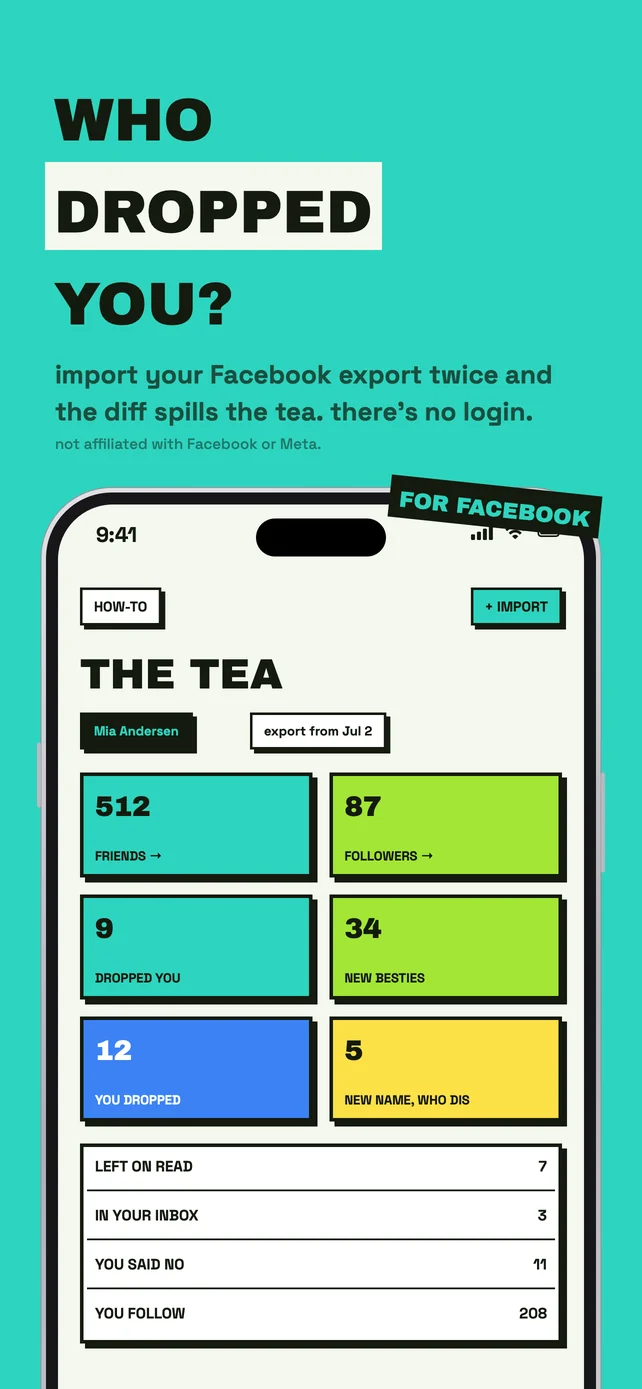
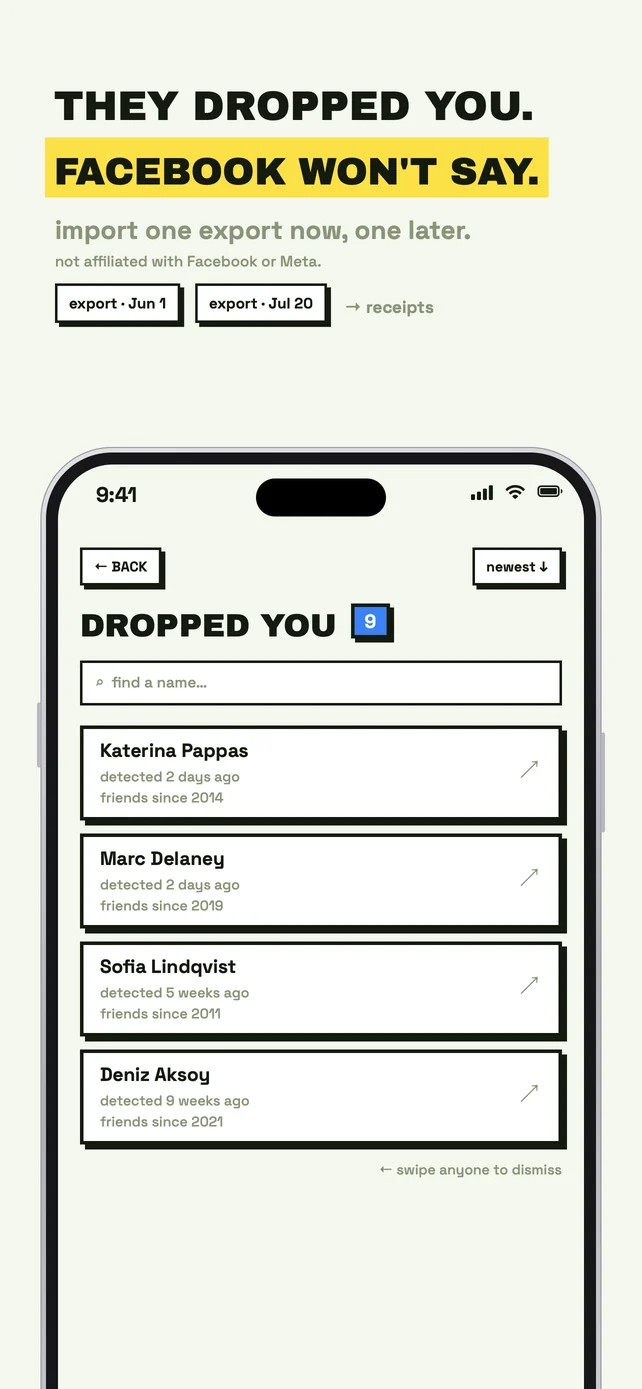
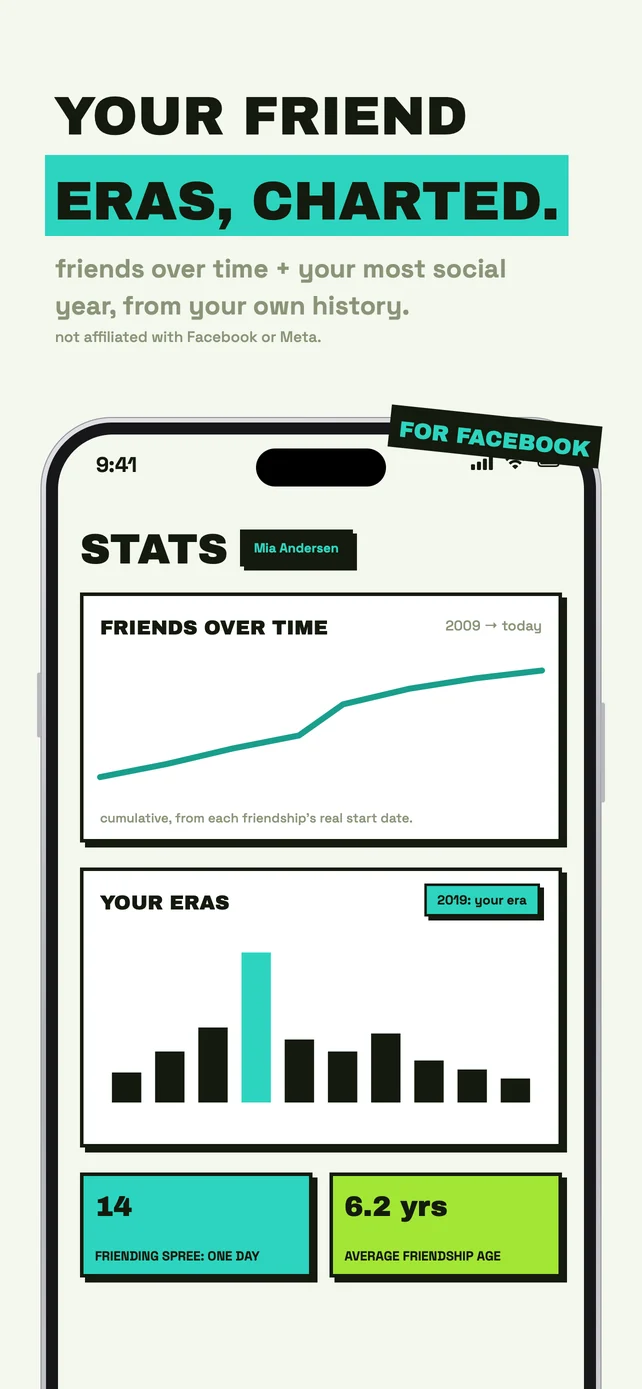
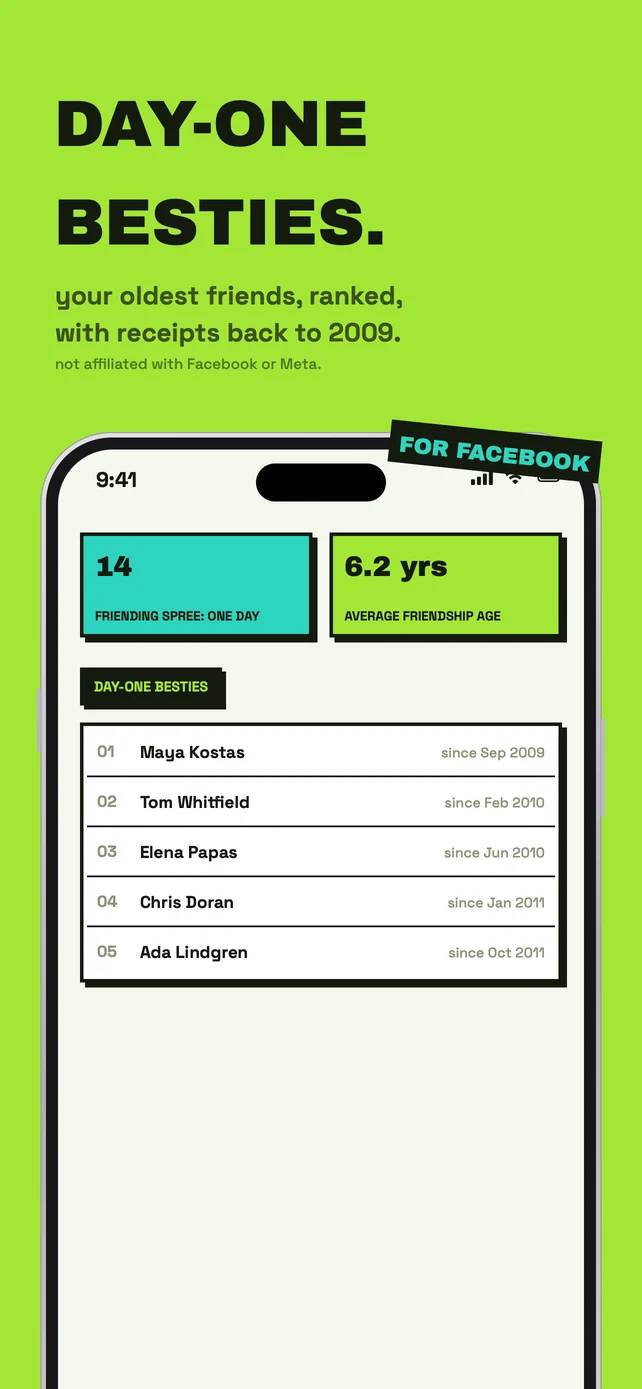
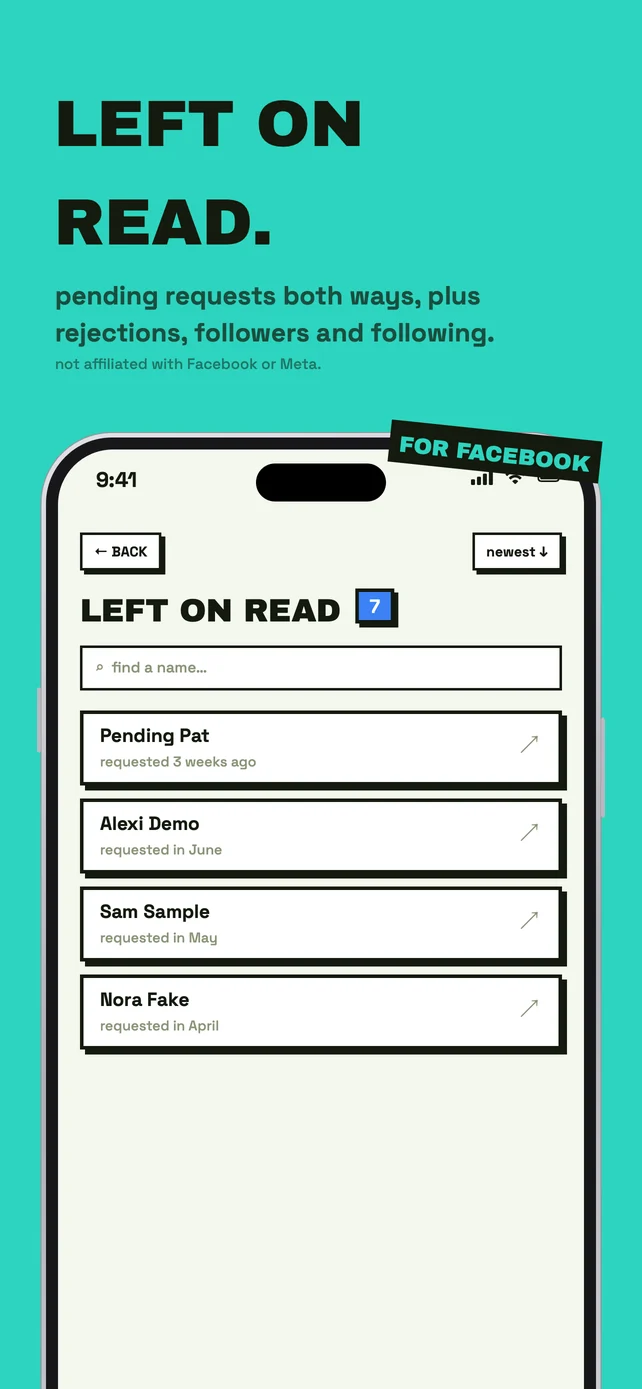
Facebook friendship is mutual, so no single snapshot can show who left. Unfriended compares two of your own Facebook data exports, a few weeks apart, and shows what changed. It all happens on your iPhone, and the app has no network code of its own.
Who dropped you
Friends who unfriended you, deactivated, or deleted their account.
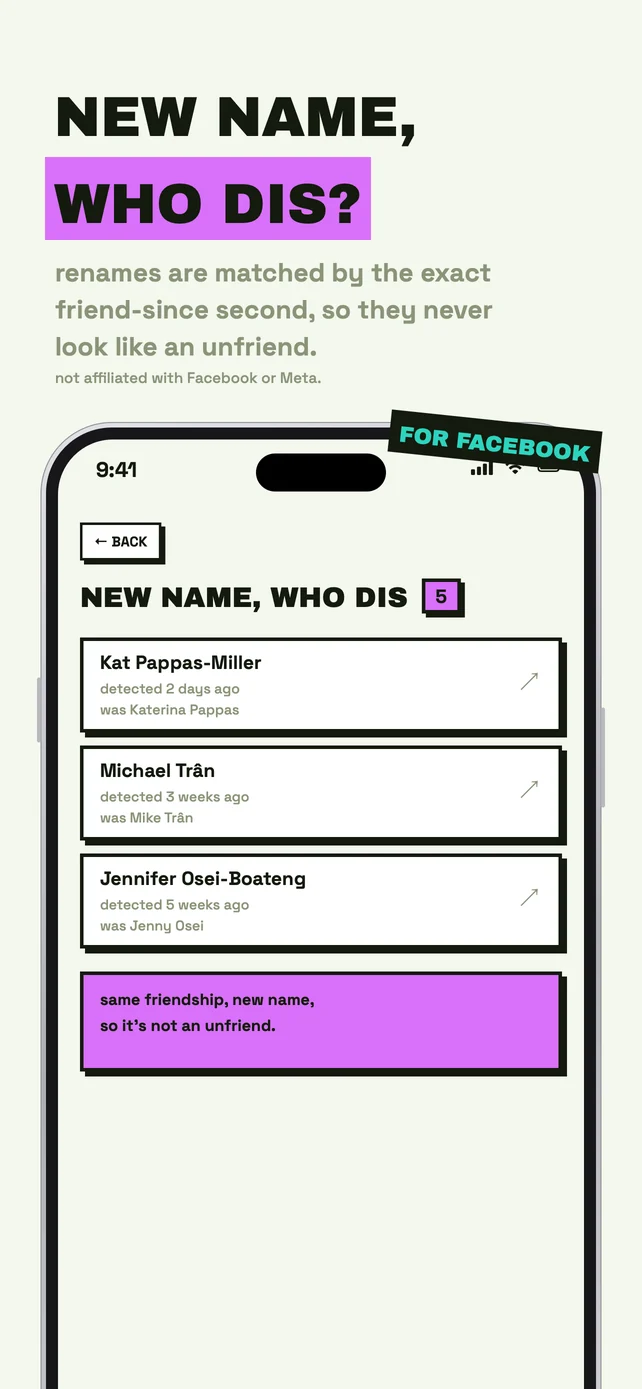
Renames spotted
Name changes are matched by the exact second a friendship began, so a new name never looks like an unfriend.
Your own removals
Kept apart using Facebook's own record, with real dates.
Requests and followers
Requests left unanswered, rejections, followers, and following.
Your friendship history
Friends over time, your most social year, and your oldest friends, ranked.
A one-minute how-to
The app shows every tap it takes to download your export from Facebook.
Questions and answers
How can I see who unfriended me on Facebook?
Facebook doesn't tell you, and there is no list of people who left. Your own Facebook data export lists everyone who is your friend on the day you download it. Unfriended compares two of these exports and shows who is missing.
- Download your Friends and followers from Facebook in JSON format. Here is how.
- Import the ZIP file into Unfriended.
- A few weeks later, download a new export and import it too. Unfriended shows who unfriended you, deactivated or deleted their account.
Why does Unfriended need two exports?
Facebook friendship is mutual, so a single list can't show who left: someone who unfriended you is not on it. Two exports taken a few weeks apart show the difference. Your own removals are kept apart, using Facebook's own record of them.
Will a friend who changed their name show up as an unfriend?
No. Unfriended matches people by the exact second your friendship began, which Facebook records. A friend with a new name keeps the same friend-since second, so they show up as a rename, not as someone who left.
Can I tell whether someone unfriended me or deleted their account?
Not from the export alone, so Unfriended lists people who dropped you together with those who deactivated or deleted their account. A quick look at their profile on Facebook settles it.
Does Unfriended need my Facebook password?
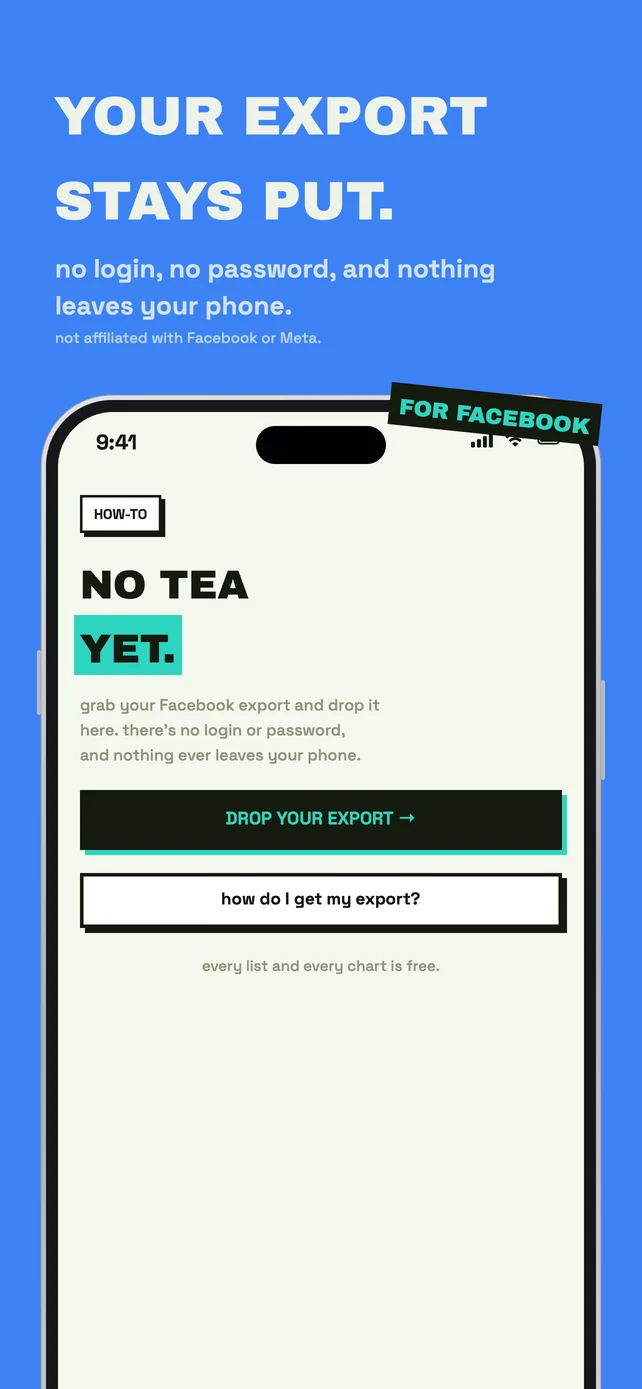
No. There is no login screen anywhere in the app, and it never contacts Facebook. It reads only the export file that you download from Facebook yourself.
Is Unfriended free?
Yes. Every list and chart is free, with no subscription, no ads and no account. At the bottom of THE TEA you can leave an optional tip, which unlocks nothing. See it on the App Store.
Is my Facebook data uploaded anywhere?
No. Your export is read and stored only on your iPhone, and deleting the app deletes it. The app sends nothing of yours anywhere; its only connection is Apple's App Store, for the optional tips. Privacy policy.
- Your Facebook export is read and stored only on your iPhone.
- The app sends nothing of yours anywhere. Only the optional tips go through Apple.
- No login, no account, no analytics, no ads.
Unfriended is an independent app, not affiliated with Facebook or Meta.


