
LifeTrends
The patterns hiding in your health data.
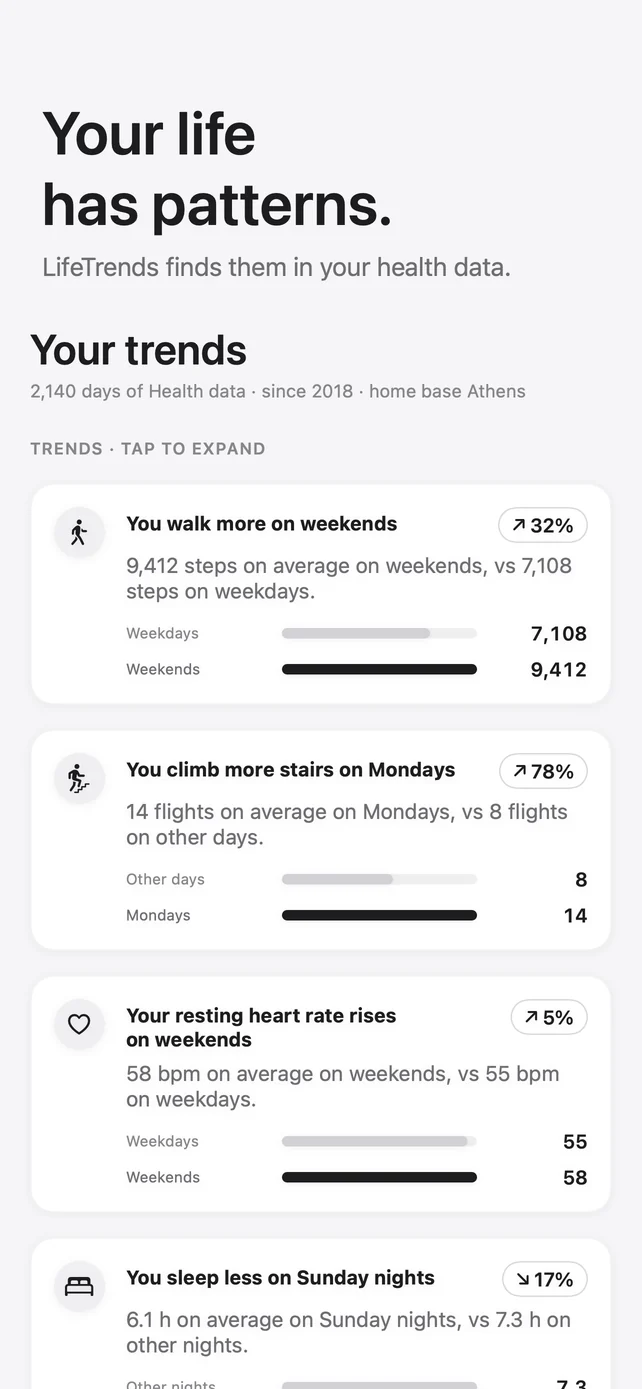
You walk more on weekends. You sleep less on Sunday nights. LifeTrends reads the Apple Health history already on your iPhone, tells you in plain English what is in it, and shows the numbers behind every claim.
LifeTrends in 20 seconds
Only patterns that hold up
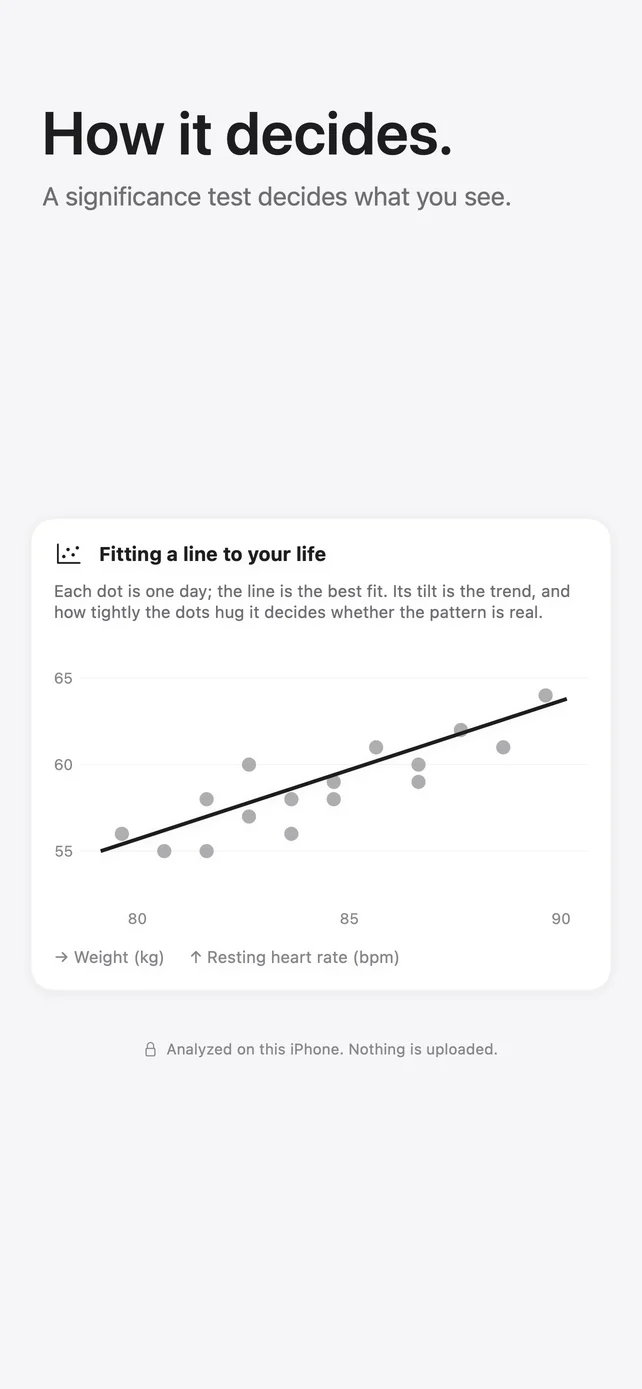
A pattern only appears when it is large enough to matter and unlikely to be chance. When the evidence is thin, you see nothing.
Weekdays, seasons, body clock
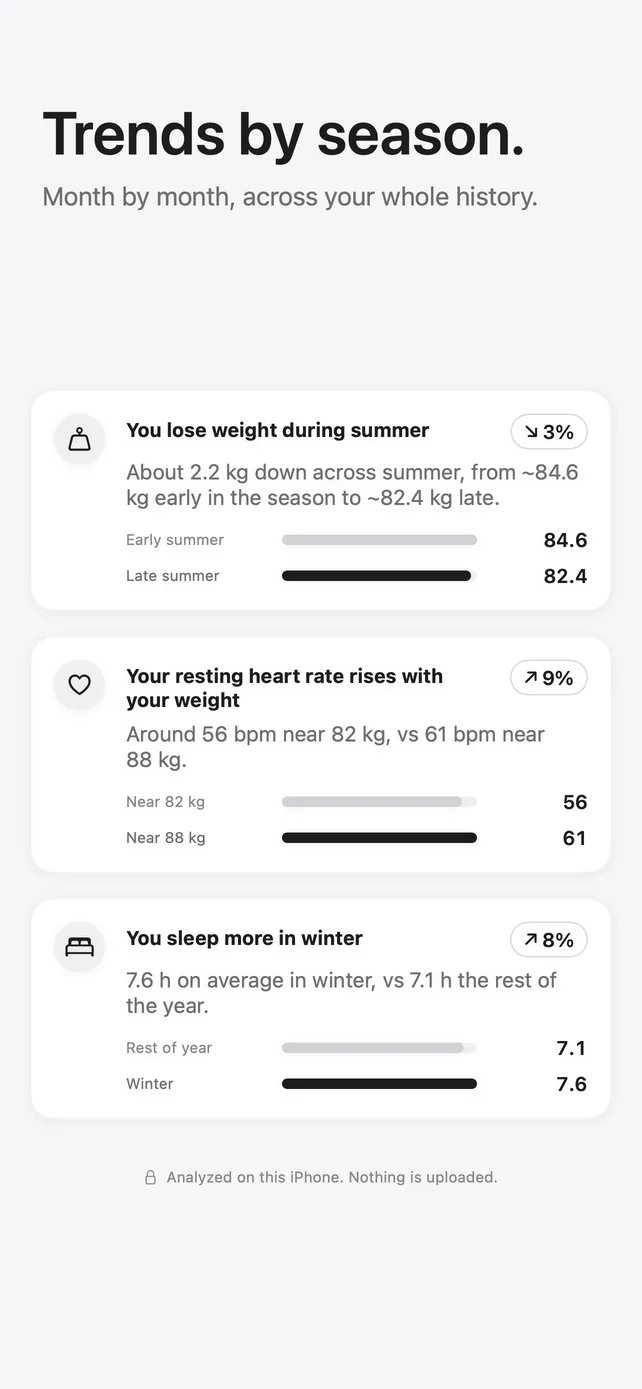
Weekday against weekend, month by month across your whole history, and your daily rhythm hour by hour.
Trips and places
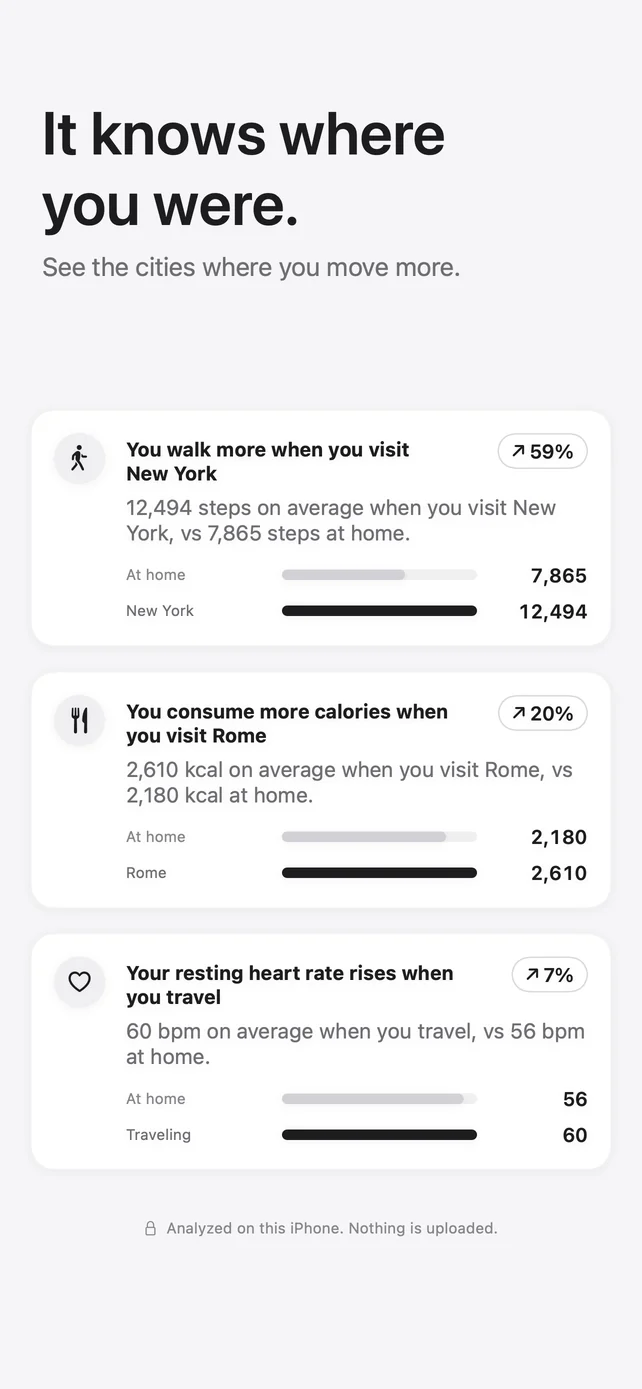
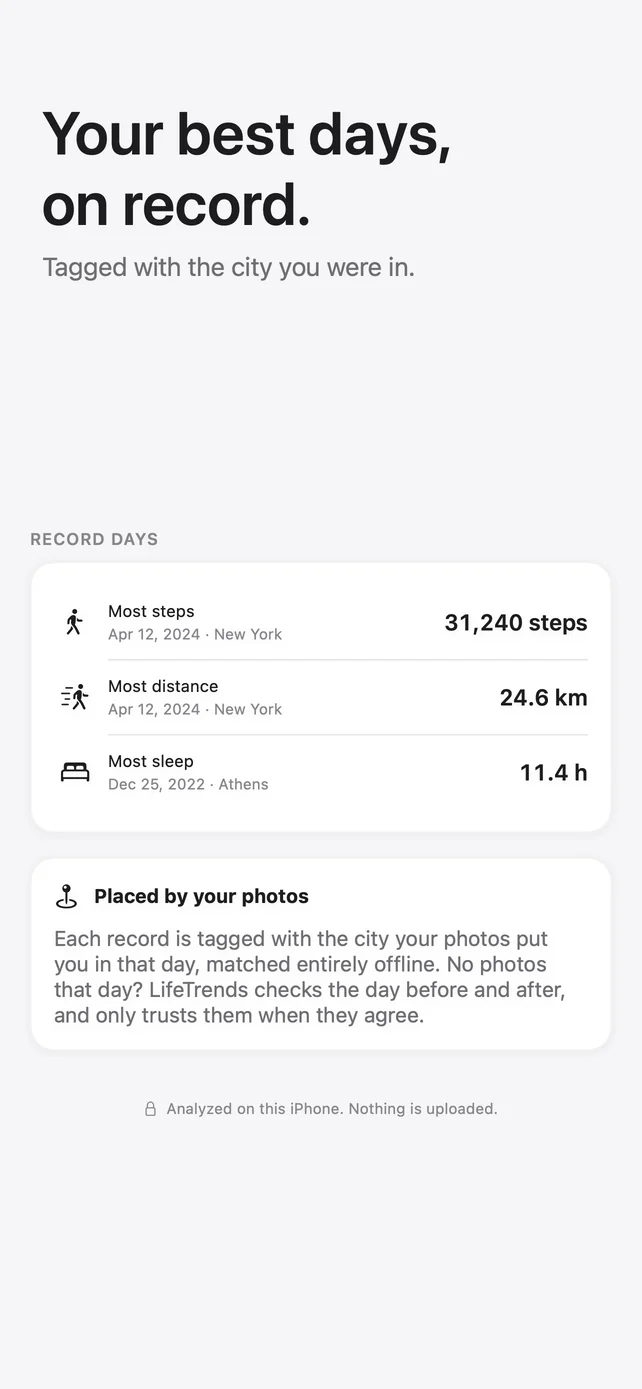
Worked out from the dates and locations of your photos and matched against cities built into the app. LifeTrends never looks at the pictures.
Every number, charted
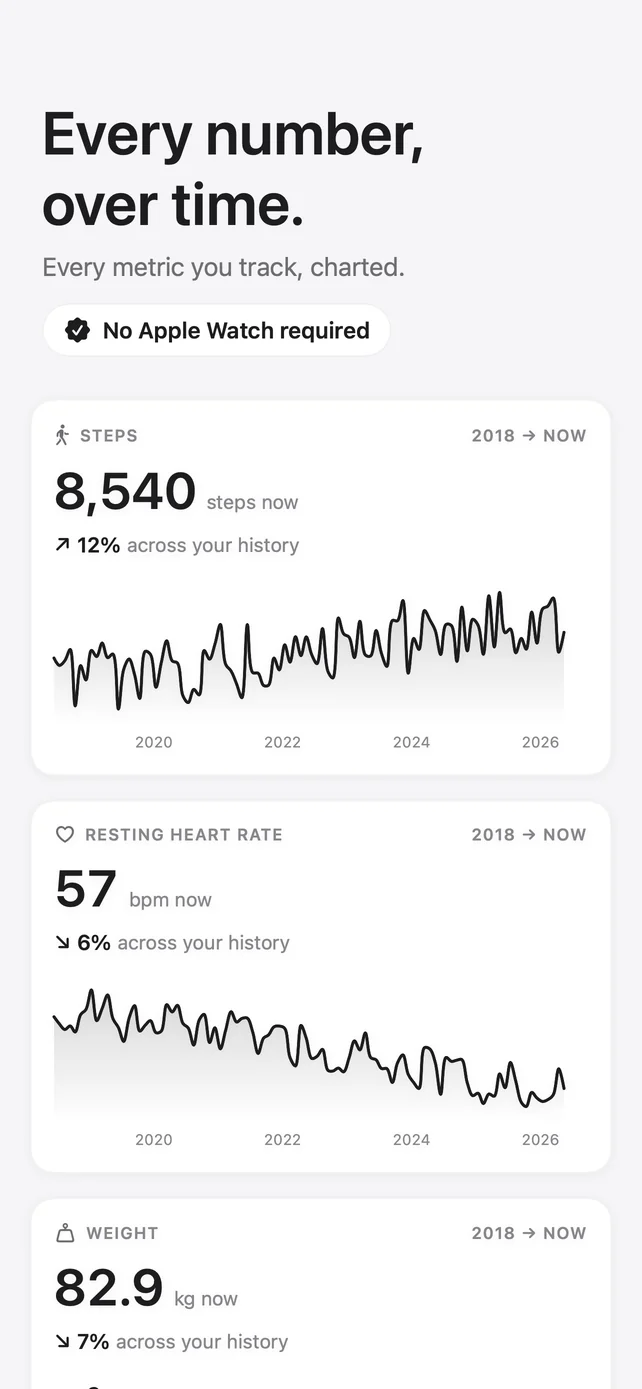
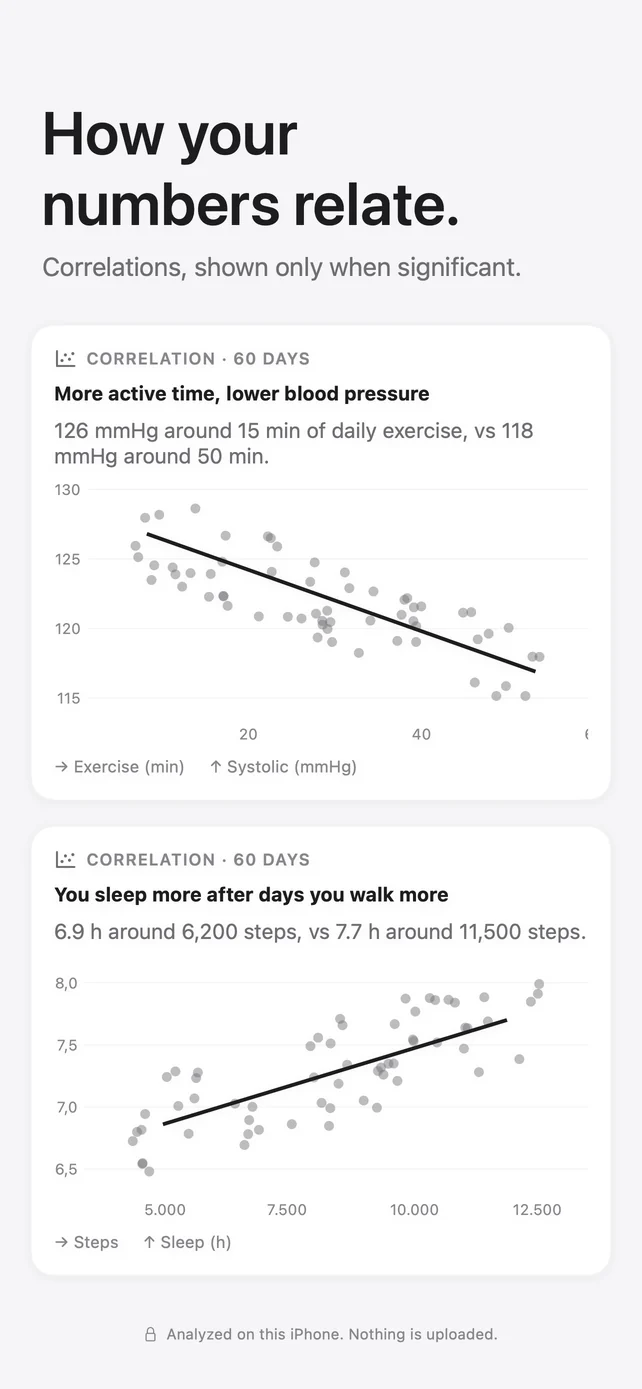
Each metric over your entire history, plus the correlations between them that hold up.
The whole story
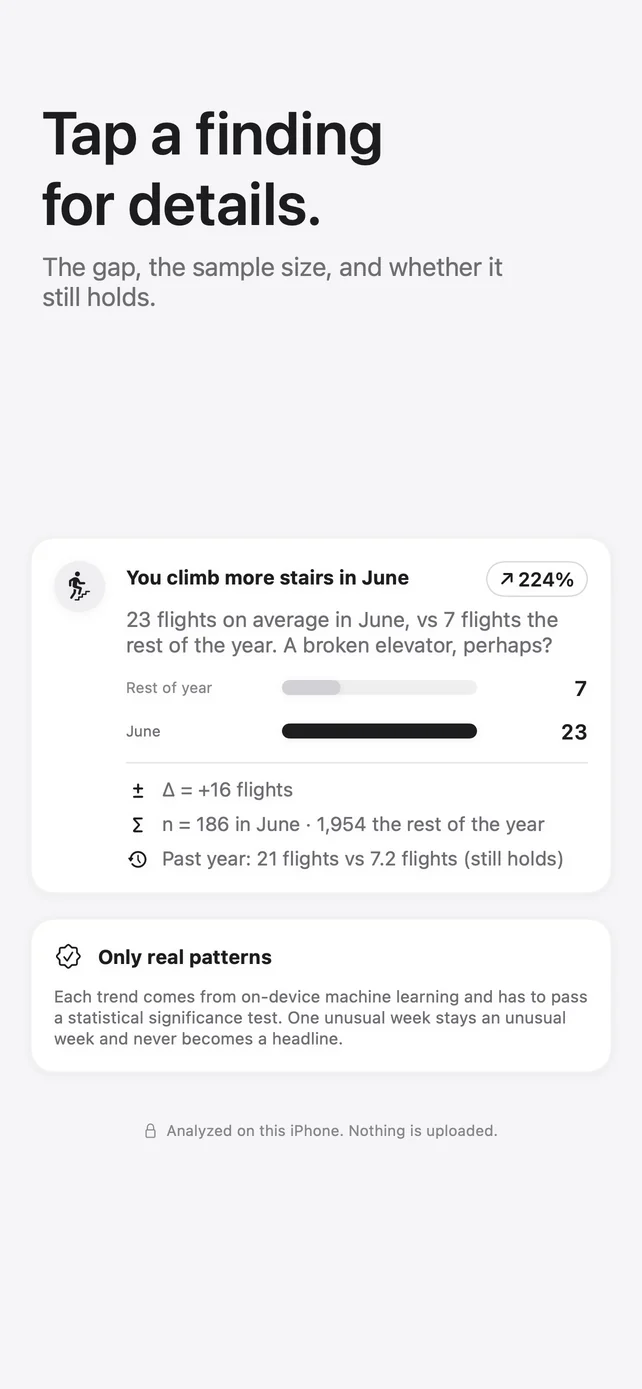
Tap any finding for the gap, the sample sizes, and whether it still holds this year.
No score or streaks
There is no readiness number, no coaching voice and no advice you did not ask for.
Questions and answers
Is there an app that finds patterns in my Apple Health data?
LifeTrends reads the Apple Health history already on your iPhone and tells you, in plain sentences, what is in it: that you walk more on weekends, sleep less on Sunday nights, or climb more stairs in June. Tap any finding for the gap, the sample sizes and whether it still holds this year. See it on the App Store.
How does LifeTrends decide what counts as a pattern?
A difference only becomes a finding when it is large enough to matter and unlikely to be chance. One unusual week stays an unusual week. Correlations between two measurements appear only when they pass a significance test. The Info tab explains how every conclusion is reached.
What data does it use?
Steps, distance, stairs and location trends work with just an iPhone. Heart rate, sleep, exercise and daylight come from a wearable such as Apple Watch. Blood pressure needs a connected monitor, and weight or calories need entries in Apple Health. LifeTrends uses whatever you have and skips the rest.
Can it tell how travel affects my sleep and activity?
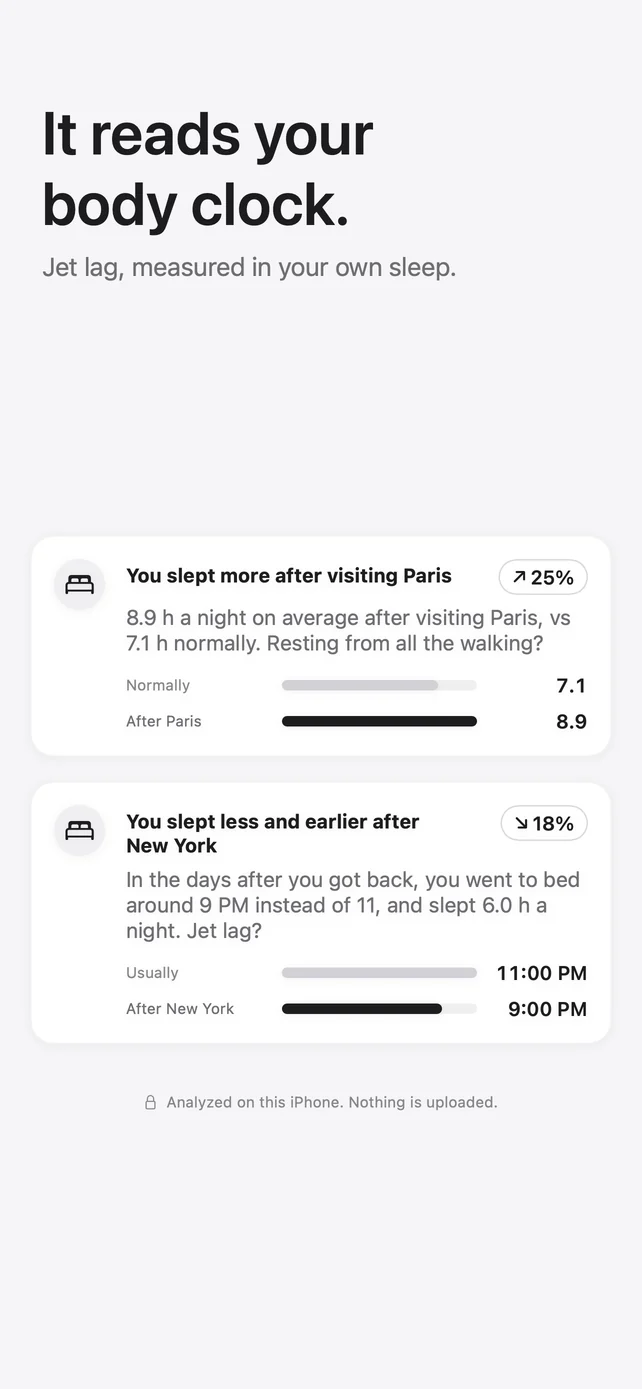
Yes. With optional photo access, LifeTrends reads the date and location saved with your photos, never the pictures, and matches them to cities built into the app. It can then show, for example, that you walk more in New York or sleep shorter and earlier after a long flight east.
Is LifeTrends free?
Yes. Every feature is free, including the Statistics tab, with every measurement charted and correlation plots, and analysis of your full history. There is no subscription. Under Settings › Support LifeTrends you can leave an optional tip, which unlocks nothing.
Does LifeTrends upload my health data?
No. Health data is read, analysed and kept on your iPhone. There is no account, no server and no analytics. Apart from the optional tips, which go through Apple's App Store, the only network request happens if you tap Current Location while outside the built-in city list: then one approximate position goes to Apple to name the city. Privacy policy.
Is it a medical app?
No. LifeTrends describes patterns in measurements you have already recorded. It is not a medical device and does not give medical advice.
- Health data is read, analyzed and kept on your iPhone, and never uploaded.
- From Photos it reads only dates and locations, never the images.
- No account, no analytics, no ads, no tracking.
LifeTrends is not a medical device and does not give medical advice.


